Malware in job applications: Assess your recruiting workflow
A résumé as a ransomware entry point: What HR and IT should check in intake, sharing and reporting, including an authorised testing scenario.


A job application is not an unusual event for HR. Opening documents, reviewing qualifications, asking questions and forwarding files are normal work. That expected workflow can become an entry point for an attacker.
Secure recruiting requires more than “Do not open unknown attachments”. Applications routinely arrive from unfamiliar people. What matters is how the organisation receives, checks and shares documents, and responds to a concern.
TL;DR: Four questions for HR and IT
- Which file formats and application channels are intended?
- What happens to active content, external links and unexpected files?
- Can HR and hiring teams report concerns to the right contact promptly?
- Is the workflow tested with authorisation and are findings followed through?
The documented case: a résumé as an entry point
AhnLab describes an attack involving an HWP document disguised as a résumé, using the Hangul word-processing format. Additional malware led to Funhouse ransomware. A link inside the document played a role in execution.
Keep the scope clear: This documents a specific sequence. It does not establish a campaign against German HR departments or show that an ordinary PDF is inherently malicious. The transferable question is what happens when an expected application contains technical behaviour outside the intended workflow.
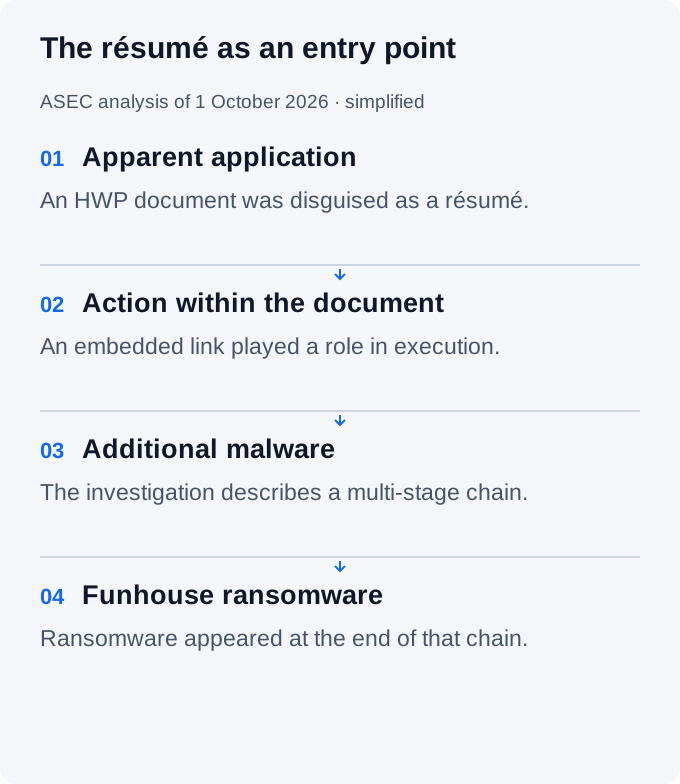
We do not need to reproduce every malware variant. The useful exercise is to inspect the organisation's own workflow with HR, IT and hiring teams.
Why recruiting is a useful testing point
Senders are often unfamiliar, time pressure is common and a convincing résumé may reach several people. HR forwards a message to a hiring manager, who opens the file on a different device with different permissions and possibly without the original warning.
Training only the first recipient misses that chain. Assess receipt, technical processing, review, onward sharing and reporting. An application portal can support the process but still depends on configuration, access rights and upload processing.
Our awareness article and tabletop exercise cover reporting behaviour in more detail. This article focuses on controls in the recruiting workflow.
Follow the path of an application
The diagram is a simplified example. Adapt it to the channels and systems your organisation actually uses.
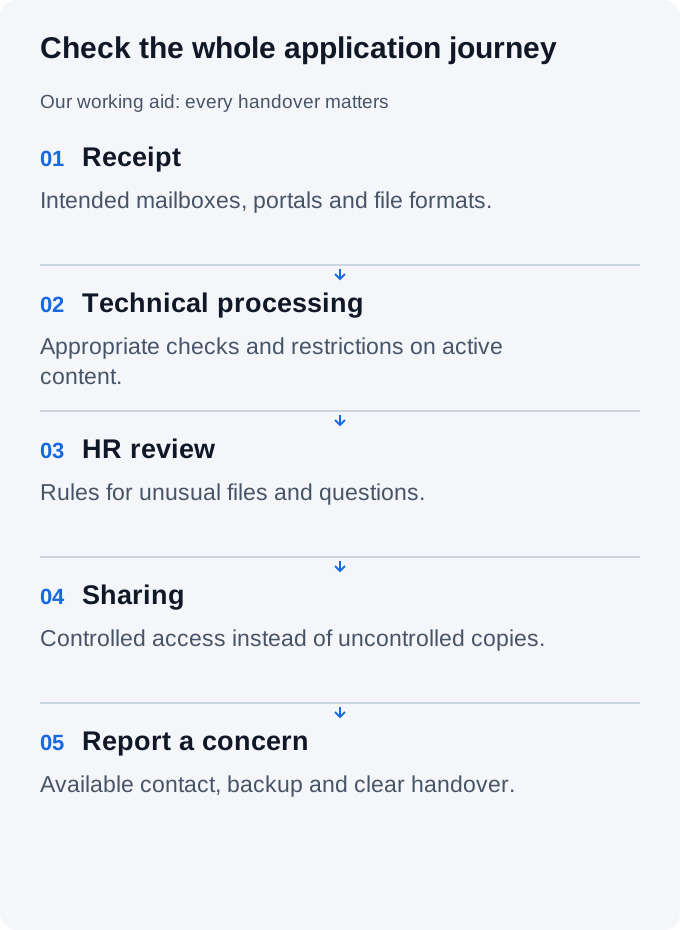
| Workflow point | Assess together | Assign ownership |
|---|---|---|
| Receipt | Which mailboxes and portals are actually used? | HR with IT |
| File processing | Are formats, active content and onward processing appropriately controlled? | IT or platform operator |
| Review | What happens with link prompts, password archives or unexpected formats? | HR with clear instructions |
| Sharing | Is the controlled access path maintained or do uncontrolled copies appear? | HR and hiring team |
| Concern | Which contact takes over and what information is needed? | Named incident contact |
Define both the normal path and an exception path. If a legitimate application cannot be processed, HR needs an available contact. Otherwise time pressure encourages personal downloads and informal workarounds.
Safeguards must fit recruiting
Agree intake rules, supported formats and handling of exceptions. Use technical checks, appropriate restrictions on active content and updated applications for your environment. Antivirus alone is not proof that every document is safe.
Limit access to people who need the documents for their task. HR workstations do not need extra administrator privileges merely to view a résumé. A familiar file extension, logo or password-protected archive is not a substitute for assessment.
Assess the application platform with IT and the provider: file handling, permissions, logging, deletion and reporting. An external provider belongs in your supplier assessment. Lawful basis and retention are a separate privacy perspective; our ISO 27001 and data protection article explains the connection.
Upload, scanning and a processed view: check before HR opens
Controlled uploads can move assessment ahead of the first review. The aim is to give HR an approved view rather than requiring employees to open every original file on their workstation.
OWASP recommends layered upload protection: validate file type and size, use malware scanning or sandboxing, and consider Content Disarm & Reconstruction (CDR) for suitable formats such as PDF.
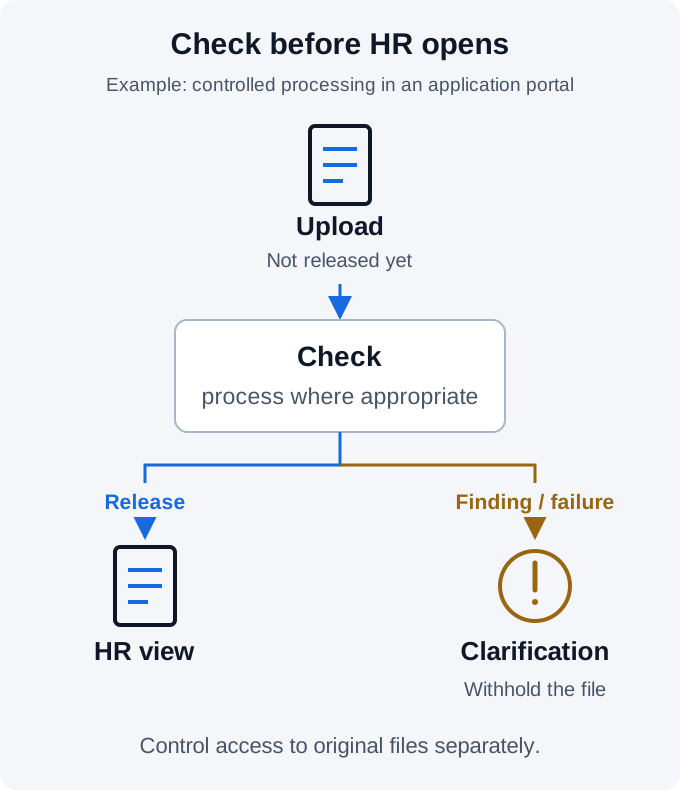
Conversion is not equivalent to security assessment. A generated preview can avoid passing on certain active content. Processing software itself needs appropriate protection and updates. Scanning and reconstruction complement each other; no single step guarantees a harmless file.
Three practical questions help assess a recruiting provider:
- Before release: Is the file withheld from HR until checks finish? What happens on failure or timeout?
- During review: Do employees see a processed view? Who can still download the original?
- After a finding: Is the upload withheld and an accountable contact informed? How are legitimate but unprocessable applications handled?
Also agree where applicant data are processed and who receives access. Uploading documents to arbitrary public scanning services is not an appropriate default for personal applicant information.
Test recruiting under controlled conditions
Applications can be a useful scenario for an explicitly commissioned security test. The aim is to establish whether safeguards and reporting work together. A technical portal assessment, a social-engineering simulation and an announced tabletop exercise are different activities.
An announced exercise using harmless samples may be enough for an initial workflow check. Responsible stakeholders decide whether a simulation involving deception is appropriate and permissible within the agreed engagement. A general pentest commission is not blanket permission for arbitrary HR simulations.
| Agree before testing | Record specifically |
|---|---|
| Authorisation and scope | Approved organisation, channels, systems and time window |
| Assessment type | Technical test, simulation or announced exercise |
| Materials and data | Harmless material and synthetic applicant data; no malware |
| Contacts | Engagement contact and immediate stop procedure |
| Findings handling | Purpose, recipients, retention and involvement of required stakeholders |
| Success criteria | Which safeguard or reporting route should demonstrably work? |
Assess the process rather than publishing a click-rate leaderboard. A useful finding might be: “The concern was reported, but nobody took ownership while the IT lead was away.” That becomes a specific improvement with an owner and deadline.
Use the scenario to coordinate with qualified testers. They determine the technical plan for the agreed scope and the necessary coordination.
What to do after a suspicious opening
An unusual file is not automatically a confirmed attack. Report the concern through the agreed route and follow the established instructions. Record the time, system and observed action. Do not forward the suspicious file to additional colleagues for reassurance.
IT or the incident contact decides on investigation, technical containment and communication. Follow the existing response process. Our incident-response guide discusses possible reporting duties; a suspicious attachment does not automatically trigger every statutory obligation.
Turn findings into effective improvements
Kopexa connects recruiting processes with relevant assets, the platform provider, risks, policies, tasks and evidence. A finding stays with the work that produced it: a missing backup contact, unclear sharing rule or outstanding supplier response.
The team sees who closes the gap, by when and with what result. Repeating the workflow check can establish whether the change works. This is connected GRC work, not a replacement for endpoint protection.
Your next step: Trace an application from receipt to the hiring team. Check one handover with HR and IT. To track findings and improvements centrally, see the workflow in a Kopexa demo.
Frequently Asked Questions
- Does the AhnLab case establish a campaign against German HR teams?
- No. The analysis dated 1 October 2026 describes a particular case involving an HWP document disguised as a résumé. We derive recruiting workflow questions without claiming additional victims.
- Should we block every application attachment?
- A blanket block is not a complete workflow. Agree suitable channels, formats, technical checks and an available exception path for legitimate applications with HR and IT.
- Is every recruiting simulation a penetration test?
- No. Technical portal assessments, social-engineering simulations and announced tabletop exercises serve different purposes. Scope, method, material and necessary coordination belong in an explicit engagement.
- What is a useful test finding?
- A specific weakness in a safeguard or handover, such as a missing backup contact. Assign an owner, deadline and evidence of improvement, then check whether the change works.
Sources
- AhnLab ASEC: From Endpoint to Funhouse () [Accessed ]
- OWASP: File Upload Cheat Sheet [Accessed ]