This round bundles several releases: the first test run of Nova, recurring tasks, new frameworks and a range of improvements across the platform.
TL;DR
- Nova, the AI assistant, enters its first test phase.
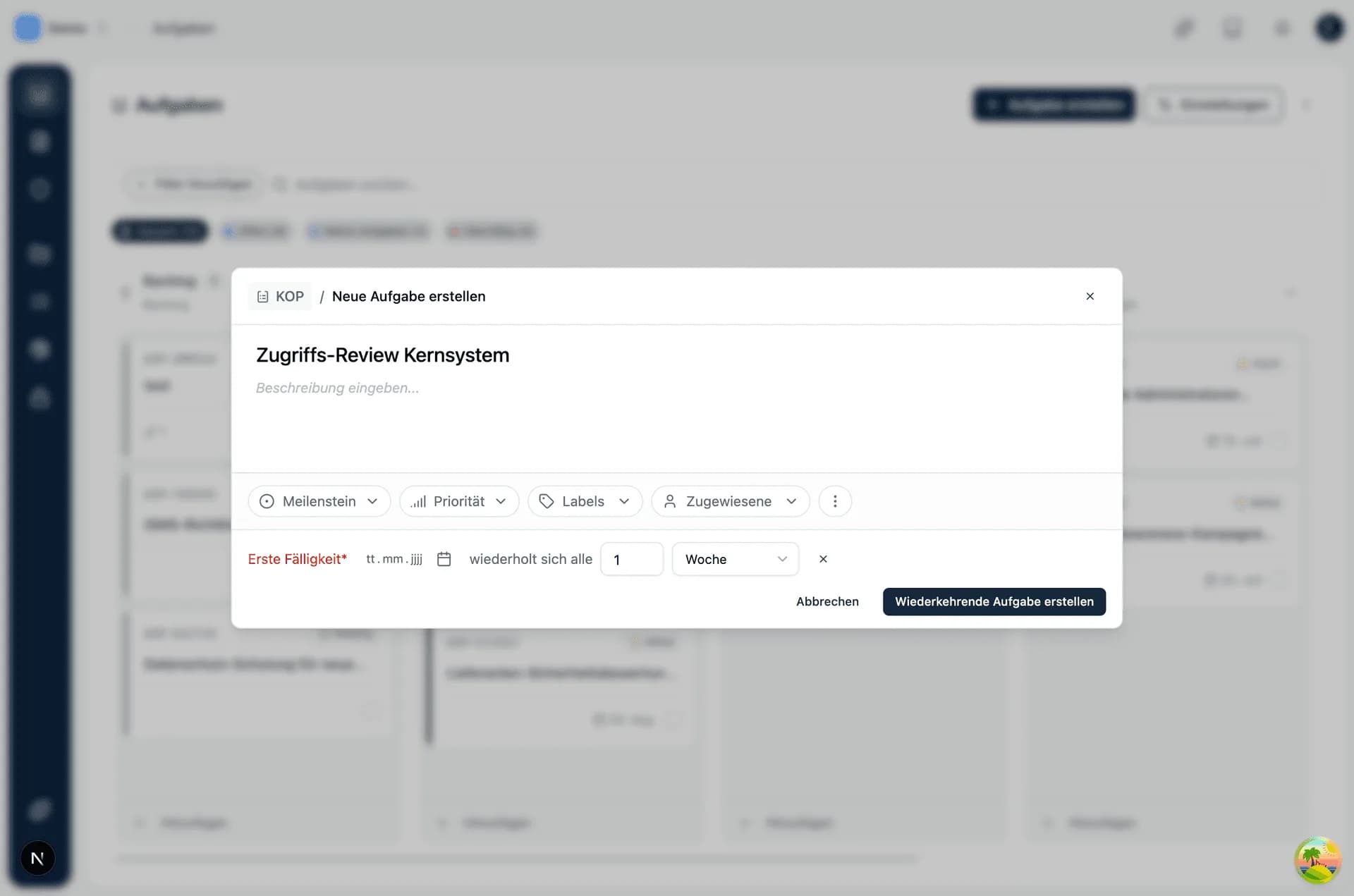
- Recurring tasks for reviews and controls at fixed intervals.
- New frameworks: ISO 45001, ISO 14001 and a CyberTrust Platinum mapping.
- BIA: clearer flows plus emails on submission and rejection.
- Vendor risk assessment: manually overridable and filterable by risk.
- Read-only API tokens, an org chart for departments and many smaller improvements.
Nova enters its first test phase
Nova, the Kopexa AI assistant, is entering its first test phase with a selected group of users. Over the coming weeks we're gathering feedback from real day-to-day work before Nova becomes available to more organizations.
Recurring tasks
Tasks that repeat on a fixed schedule, for example annual reviews or quarterly checks, can now be set up as recurring tasks. Kopexa creates them again automatically once the cycle runs out. See the recurring tasks documentation for details.
Trust Center: now documented
Trust Center now has its own documentation that walks you through setting it up and keeping it current.
New frameworks: ISO 45001 and ISO 14001
Kopexa now supports ISO 45001 (occupational health and safety) and ISO 14001 (environmental management) as frameworks. The matching risk and measure catalogs follow shortly.
CyberTrust Platinum: measures mapping
CyberTrust Platinum now has a mapping to the relevant measures, so you can see directly which of your existing measures already cover the requirements.
BIA: clearer flows and notifications
The Business Impact Analysis picked up several improvements. The interface, validation and review behavior were reworked, and BIAs currently in review now display correctly. If a BIA gets rejected, you now get an email automatically. Owners and delegates are notified by email as soon as a BIA is submitted for review.
Vendor risk assessment: more control and overview
Vendor risk assessment is clearer now and can be actively steered. Freshly created vendors start with sensible baseline values instead of empty fields, so the rating is readable from the start and does not have to be fed with data first.
Where the calculated rating does not match your judgment, you override it manually and keep your own risk decision on record. With the new filter you narrow vendors down by risk rating, for example to pull together all high-rated vendors for a reassessment or for a report to management. In the detail view, the rating is laid out more clearly.
Incidents: closed means closed
Once an incident is closed, resolved or cancelled, its values are locked and can no longer be edited afterwards. You can also see directly who created and last edited an incident.
Bundle assets into groups
With the new asset kind "Group" you bundle related assets into a single unit, for example all components of a system, a site or a connected application landscape. This brings real structure to your asset inventory: instead of long, flat lists you work with clearly grouped units that mirror how your organization is actually built.
That keeps things manageable even with many assets, and responsibilities and dependencies become visible where they belong.
Integrations on a shared foundation
MS365, GitHub and Domains now run on the same technical base. Nothing changes in how you use them, but new integrations will ship faster going forward.
Smaller polish
- Findings show an icon for their type in both list and detail views.
- Document export can optionally include a footer (page number and/or document title), and highlighted text and tables now export cleanly.
- Vendor assessment invitations let you choose the email language.
- The vendor detail view was restructured, and the sidebars were visually reworked.
- Read-only API tokens for integrations that only need to read data.
- Org chart for departments.
- SSO users get a one-time email code when they want to delete a space or transfer an organization.
- New filter for tasks without a milestone.
- Organization and space invitations run more smoothly.
- Deleted people can be re-created with the same email address again.
- Risks with the treatment "Avoid" stay visible and editable, can be pulled back out of the archive, and their treatment can be changed.
- Asset list pagination runs reliably, and child assets stay visible when searching or filtering.
- Survey export and information-value import run reliably.