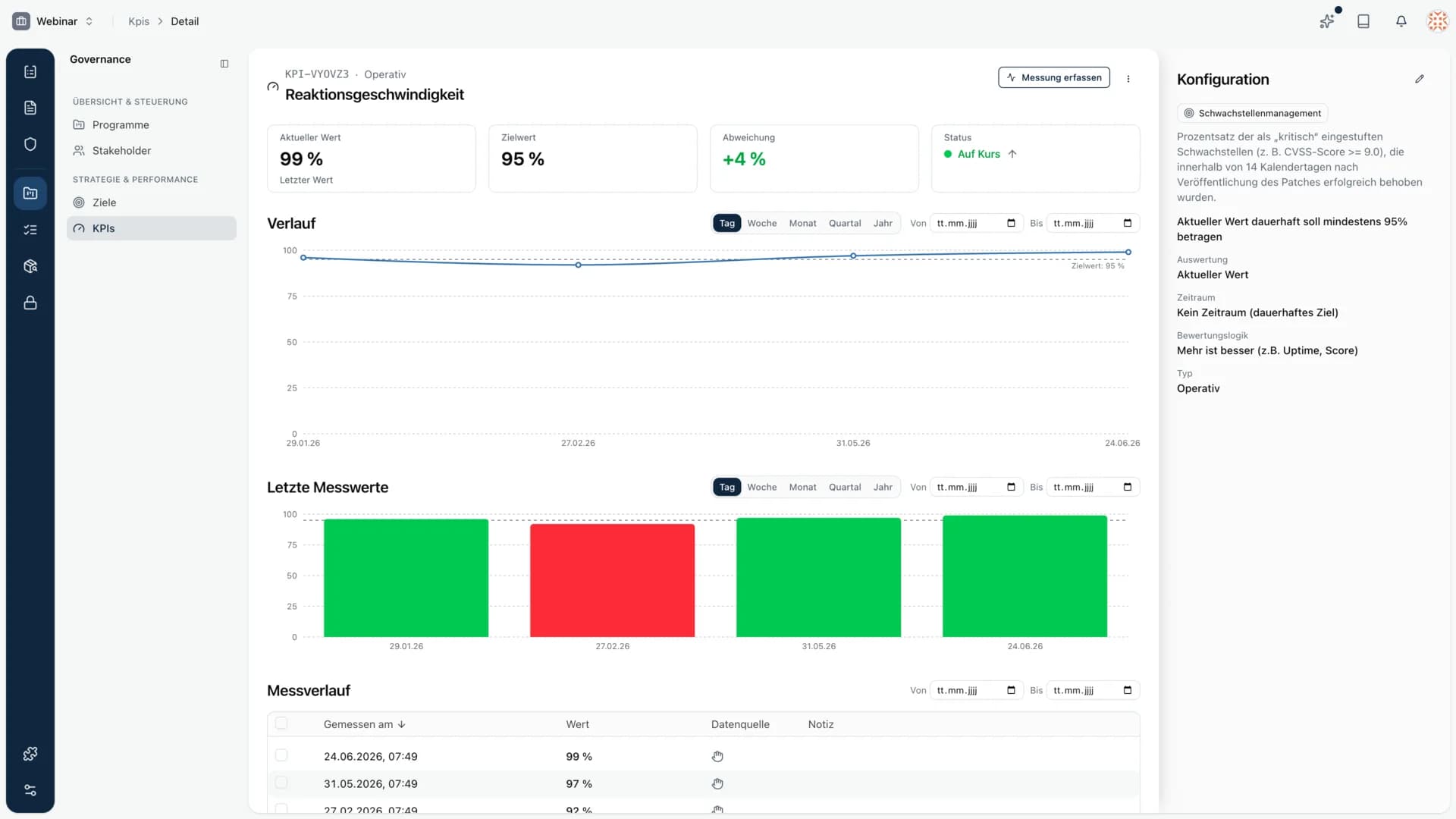
KPIs now show how a metric develops over time. Every measurement is kept, and each KPI has its own detail page with a trend, the latest readings and the full configuration. Today you use KPIs for goals and processes, exactly where a value does not have to be right once but has to hold up over time.
KPIs become traceable
The detail page shows the current value, the target value and the deviation at a glance, plus the trend as a line and the latest readings as bars. You can filter by day, week, month, quarter or year and narrow down a time range. Every single measurement lands in the measurement history, with date, value, data source and note.
This turns a metric like "response speed should stay at least 95 percent" from a value in the moment into a story you can prove in an audit.
Version history in document exports
Exporting a document now includes its version history too. Anyone who wants to know how a document reached its current state sees it directly in the export, without having to switch back into the platform.
A dedicated logo per space
A space can now carry its own logo or adopt the organization's logo. That keeps the assignment clear when you run several areas or tenants inside one organization.
New navigation in the organization area
The organization area now uses the same navigation as the rest of the platform. The paths are shorter and consistent everywhere, no matter which area you are working in.
Review evidence straight from a measure
Inside a measure you now open a piece of evidence in a preview drawer. You see the content right away, without leaving the measure.
Asset import tells you what is missing
The asset import now shows which required values are missing and which values are recommended. You can tell what still needs to be added before the import, instead of looking for it afterwards.
Smaller stabilizations
- Domain validation for organizations was reworked. You now get an email when a verification becomes invalid or a domain cannot be verified, and you can trigger a retry directly from the frontend.
- On a vendor, the fields for terms of use and privacy policy now reliably show the correct URL.
- When switching between audit controls, the description of the currently selected control is shown consistently.
- Importing from the measure catalog now runs cleanly even when a previously imported measure was deleted and imported again.
- The asset import now reliably handles choice values with extra whitespace, across all imports.