The business impact analysis is here. You rate how hard an outage hits your processes, and Kopexa derives the BCM values you would otherwise maintain by hand. On top of that come the GitHub integration with vulnerability detection, test packs and exceptions, and a whole set of improvements to tables and detail pages.
Business impact analysis (BIA)
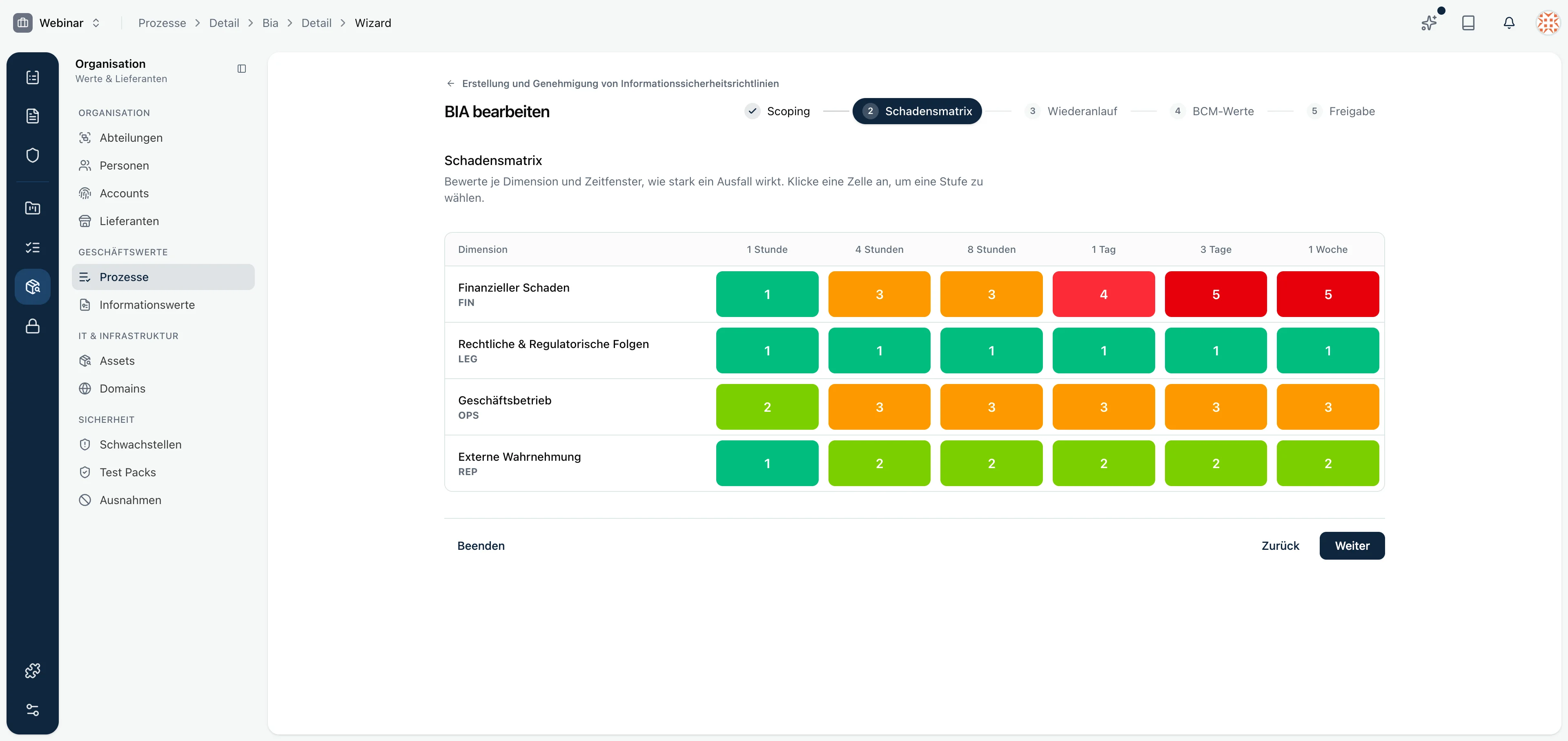
The BIA guides you through a five-step wizard: scoping, damage matrix, recovery, BCM values and approval. The damage matrix is the centerpiece. For each dimension, such as financial damage, legal consequences, business operations and external perception, you rate how strongly an outage hurts over time, from one hour up to one week.
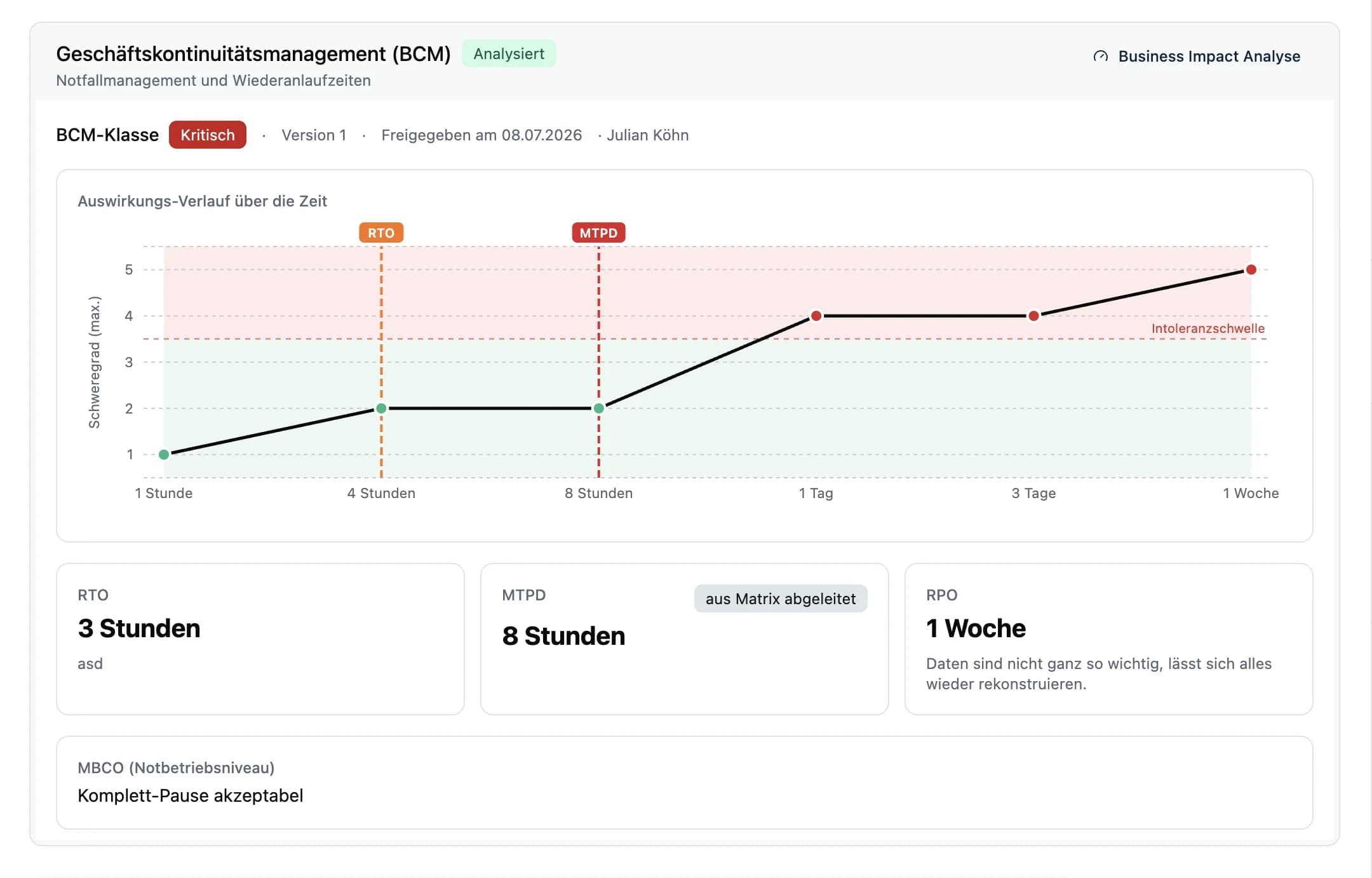
From the matrix, Kopexa derives the BCM class and the maximum tolerable period of disruption (MTPD). RTO and RPO are deliberate decisions you set yourself, just like the minimum business continuity objective (MBCO). The impact curve shows you when an outage crosses the intolerance threshold and whether your recovery times hold up against it.
Every BIA is versioned. You see which version was approved, when and by whom. The process detail page displays the derived values directly instead of asking you to enter them manually. The process overview gets a new BCM column with a quick-info hover, and two new settings pages give you control over dimensions and thresholds.
GitHub integration with vulnerability detection
The new GitHub integration brings assets, accounts and vulnerabilities from your repositories into Kopexa. Vulnerabilities are a completely new entity with their own list and detail view. You find them in the security section and see at a glance what is open and where it came from.
More integrations are already in the works, and we are also giving the Entra integration a thorough overhaul.
Test packs and exceptions
Under organization and then security you find two new areas: test packs bundle recurring checks, exceptions document deliberate deviations. That way you record what you tested and what you decided, with good reason, not to implement.
This is just the start: we will be working on test packs continuously over the coming weeks, with new additions landing regularly.
Accounts get their own page
Accounts now have a dedicated detail page. You can link people to an account or remove the link again. That keeps it traceable who owns which access.
Tables: show and hide columns
In every list view with a data grid you can now show and hide columns via a button at the top right of the table. Horizontal scrolling now works consistently as well, both in the tables themselves and across various tabs.
KPI export as CSV
You can now export KPIs and their measurements as CSV. Take your metrics into reports, analyses or the management review.
Smaller improvements and fixes
- Findings now also appear in controls, assets, risks and tasks.
- There are many new labels so you can structure content in a more fine-grained way.
- Vendor assessments work without a login again.
- The process detail page shows the counts of linked vendors and risks again, and the asset relation moved from the sidebar into the main content.
- The vendor assessment received layout fixes, and the due date is now taken into account.