Guide
Introducing a new policy version: approval and acknowledgement
Take a revised policy from expert review into everyday work. With a rollout plan covering version, audience, acknowledgement and outstanding tasks.
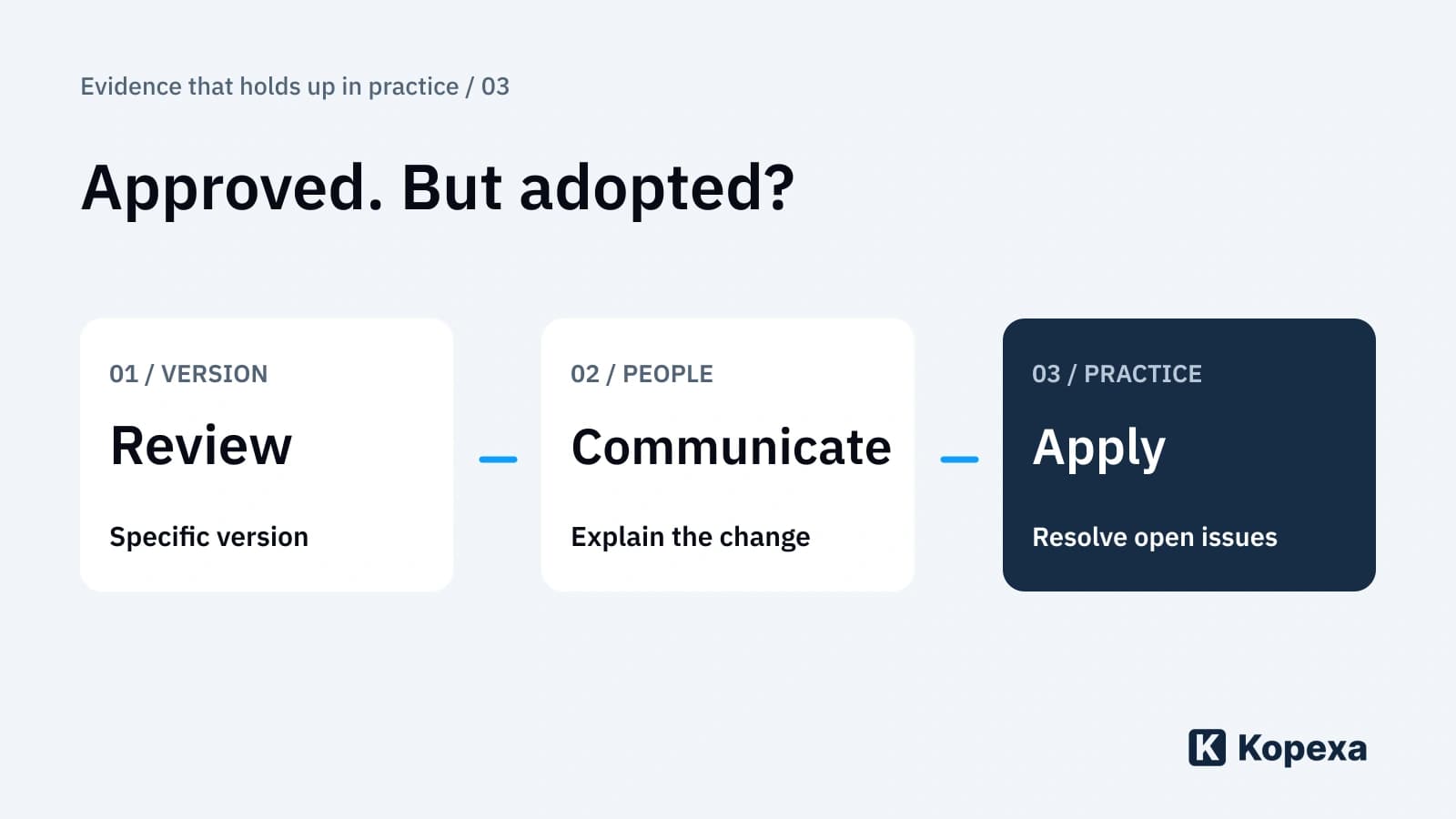

The new policy is approved. A week later, the team still uses the old process. Approval was correct; implementation was incomplete.
A policy change reaches everyday practice only when the people affected know what changes in their work and how they should act. Version, audience, communication and outstanding tasks must fit together.
This third part of “Evidence that holds up in practice” takes you from the reviewed version to practical use. Part one covers current evidence; part two covers reuse across audits. Here, employees take centre stage.
First describe what changes in people’s work
Fictional example: project portal policy R-12 changes from version 2 to version 3. External project participants must now receive documents through a specified approval process with an expiry date. Project managers are expected to use it; IT operations must provide the required configuration.
“Please read the new policy” omits the essential information. A clearer message is: “Use this process for new external shares from the agreed date. Existing shares will be reviewed separately. If a required feature is unavailable, contact this team.”
Separate editorial corrections from behavioural changes. A spelling correction generally needs different communication from a new approval process. For every material change, identify affected roles, required action and the intended start date.
Review and approve a specific version
Responsible people check whether the content is substantively correct, understandable and workable. Select reviewers based on the change. In the example, the responsible business role and IT operations need to be involved; further participants depend on the content.
The decision must identify the version reviewed. If relevant content changes after approval, determine whether another review is needed. Approval of version 2 cannot silently carry over to version 3.
In Kopexa, you write and edit policies directly in the document editor. Saved versions remain immutable; the document points to the current version. This keeps the content associated with each version traceable.
Approval belongs to the version. Named reviewers assess the proposed version, approve it or request changes, similar to reviewing a pull request. A change becomes a reviewable new version instead of overwriting an earlier one.
The review interval belongs to the document. You define how often its content should be checked for currency. That review may conclude that the existing version remains suitable. A new version and approval process begins only when a change is needed. The article on policy management after a Confluence migration shows these workflows.
Plan publication and transition together
Define when the new version takes effect and where it can be accessed. Mark the previous version so nobody accidentally uses it as a current instruction. Keep historical versions and their review basis traceable under your retention and access rules.
A rollout plan connects the decision to implementation. For the fictional portal example:
| Change | Affected role | Version | Communication | Expected evidence | Outstanding task |
|---|---|---|---|---|---|
| New process for external sharing | Project managers | R-12, version 3 | Policy and a short explanation of the change | Acknowledgement of the specific version | Resolve missing responses |
| Provide expiry functionality | IT operations | Reference to R-12, version 3 | Implementation task with a test criterion | Documented test result | Address deviations |
| Assess existing shares | Responsible project roles | Transition rule for version 3 | Project-specific tasks | Decision for each reviewed case | Assign unclear responsibility |
This is a working model, not a general requirement to use a particular tool or form of confirmation.
The BSI IT-Grundschutz module ISMS.1, 2023 edition explicitly addresses management’s communication of the overarching information security policy in A3. Our process applies the principle of targeted communication to revised working policies; it does not imply a blanket signature requirement for every document.
Deliver the new version to the right audience
If you use the Workforce Hub, employees for whom the document is relevant receive a notification when a new version is rolled out. Reminders prompt them to read it and complete the quiz. The acknowledgement record is stored in Kopexa.
In the fictional example, affected project managers receive the new R-12 version. They read the revised rule and answer a question about time-limited sharing. You do not have to assemble acknowledgements from individual emails.
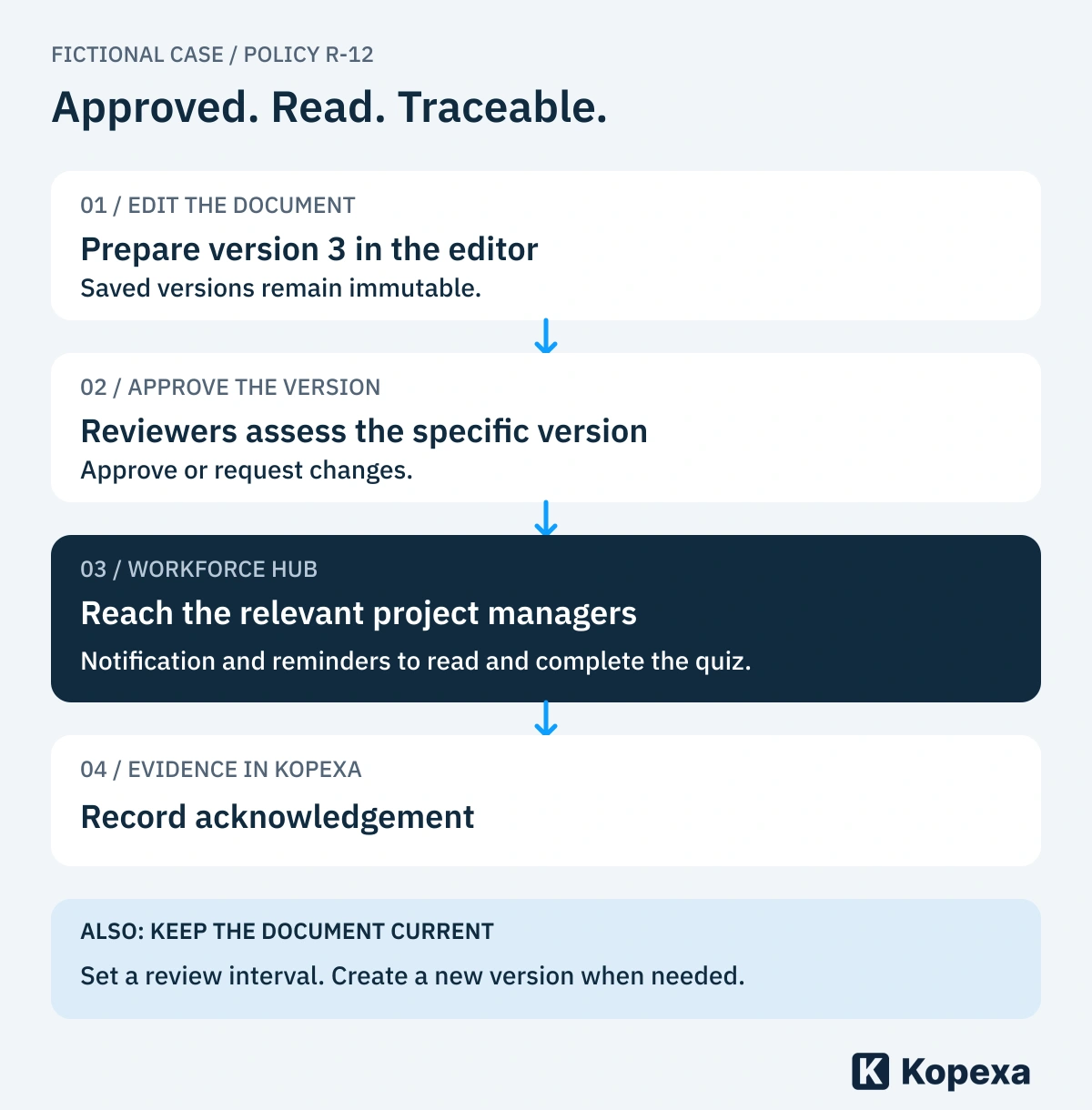
Fictional example: from a new policy version to documented acknowledgement. Version approval and periodic content review remain separate steps.
Before rollout, check that the audience is correct and an intended employee role can access the new version. For R-12, IT operations must also provide the new sharing process. Distributing the policy does not complete that technical task.
Distinguish receipt, acknowledgement, understanding and application
Four different claims are easily collapsed into one green checkmark:
| Claim | What it shows | What it does not yet demonstrate |
|---|---|---|
| Message delivered | The communication channel delivered the message | That the person read its contents |
| Acknowledgement confirmed | The person gave a particular confirmation | That they understood every rule |
| Scenario answered correctly | The person could answer the question asked | That they always act correctly in practice |
| Process checked in practice | The observed cases were assessed | That all unexamined cases are also suitable |
Choose evidence appropriate to the change. For a new sharing process, a brief scenario question can help: “An external partner still needs access after expiry. What do you do?” A subsequent operational sample answers a different question again.
Resolve questions instead of only sending reminders
A missing confirmation can have several causes: absence, lack of access, the wrong audience or an unclear rule. Establish the reason before repeatedly sending the same reminder.
A question can also reveal a genuine process defect. If the policy requires a feature the portal does not provide, that is not merely a training gap. It needs a technical or substantive correction with an owner and deadline.
Handle necessary exceptions explicitly. Document their scope, the deciding role and the review trigger. An informal verbal agreement should not be the only basis for a team to depart from the new standard.
Complete the rollout in the actual workflow
After launch, review selected cases to see whether the new rule is workable and used. Track outstanding issues separately from document approval. Version 3 can be formally approved while a technical measure remains outstanding; that distinction must stay visible.
Start with one policy involving a concrete behavioural change. Follow it through review, publication, communication and checking. This turns approved text into a working process whose unresolved points you can address.
Quick answers
Frequently Asked Questions
Still have a question? Find the answers here.
Does a read acknowledgement prove understanding?
It documents the confirmation given. Suitable questions or example scenarios can help examine understanding. Actual application requires an appropriate review of the working process.
Must every policy be signed?
This does not establish a general signature requirement for every policy. The required and appropriate form depends on the content and applicable requirements.
What is the difference between version approval and a content review?
In Kopexa, reviewers assess a specific, immutably stored document version and approve it or request changes. The document also has a configurable review interval. That content review assesses whether existing content remains suitable and can conclude without a new version.
How do employees learn about a new policy version?
If you use the Workforce Hub, employees for whom the document is relevant are notified during rollout and reminded to read it and complete the quiz. Acknowledgement evidence is recorded in Kopexa. It does not replace checking whether the new process works in everyday practice.
Sources
- BSI IT-Grundschutz: ISMS.1 Sicherheitsmanagement, Edition 2023 — BSI [Accessed ]