From Confluence to Kopexa: migrate policies and manage them with control
Reuse existing policies, review changes and deliver valid versions to employees. Plan the move from Confluence to Kopexa around the complete workflow.
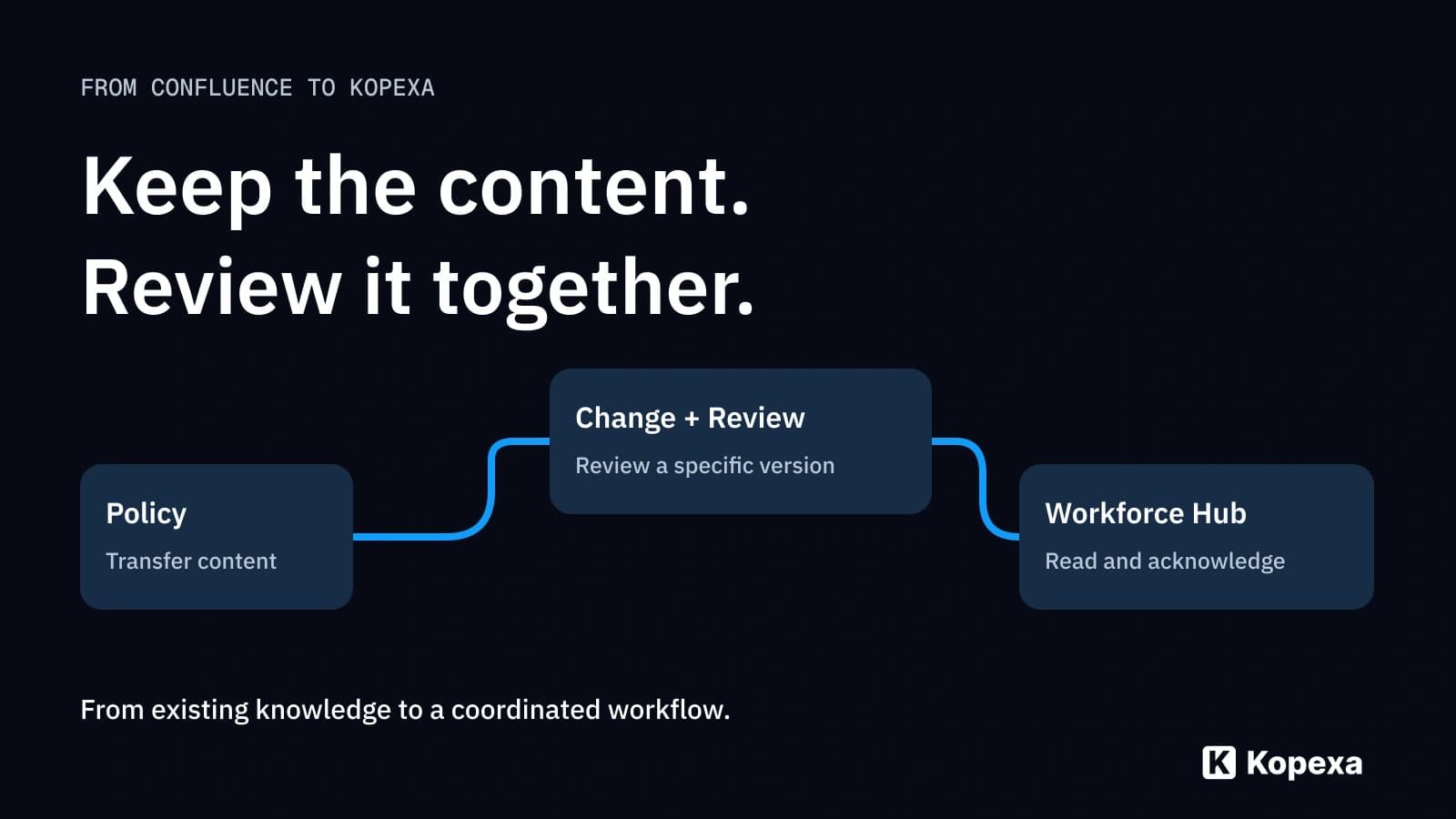

You do not need to rewrite your policies when moving from Confluence to Kopexa. Start with a representative page, transfer its content and check the result. Then configure the workflow you are moving for: collaborate on changes, review a specific version, trace its approval and deliver the valid content to employees.
Perhaps the policy already lives in Confluence. But who still needs to approve the new version? When will its content next be reviewed? And how does the change reach those expected to follow it? If that work currently spans several tools and informal agreements, examine the complete process.
This fourth part of “Moving your ISMS” covers Confluence policies. Part 1 explains general data transfer; part 3 on evidence history explores preserving earlier versions and decisions.
Key takeaways
- Reuse content: test copy and paste on a real sample page before transferring everything.
- Approve a version deliberately: transfer and substantive approval are different steps.
- Separate version review from currency: a new version needs a decision; existing valid content needs its next review trigger.
- Involve employees: the Workforce Hub supports reading and acknowledging policies and checking knowledge.
When is moving a Confluence ISMS worthwhile?
Confluence is a working environment for shared knowledge. It can also represent approvals: Atlassian describes Confluence Cloud approval requests with approval, requested changes and decision history. Examine your actual setup rather than tool names alone. See the Atlassian approval documentation.
More specific questions determine the value of your move:
- Do you want to manage policies alongside their requirements, measures and evidence in a shared ISMS environment?
- Should the next content review, its owner and deadline be visible directly at the document?
- Do you want to connect expert-team maintenance with employee communication and acknowledgement?
Kopexa brings this work together in policy management and the Workforce Hub. The benefit appears in the workflow: owners see what is due, reviewers see outstanding decisions and employees receive the content intended for them.
That does not mean moving your entire company wiki. You can limit the change to ISMS policies and relevant working instructions while keeping Confluence for other team knowledge. Decide clearly where authoritative versions will be maintained.
1. Which pages should become policies?
Select content by its purpose. An approved policy, a discussion page and a personal note do not need identical treatment. For each relevant page, clarify its owner, valid version and audience.
A concise transfer inventory helps:
| Source information | Decision for Kopexa |
|---|---|
| Confluence page and source reference | Which document is created, and how does its origin remain findable? |
| Valid version | Which version is authoritative at launch? |
| Owner and existing reviewers | Who maintains content and reviews new versions? |
| Links, attachments and embedded content | What transfers, needs remapping or remains a deliberate reference? |
| Audience | Which employees should receive the content? |
| History and approvals | Which original references are needed for past decisions? |
When the same content appears in several places, first check whether it is genuinely the same version and scope. A similar title alone does not justify merging it.
2. Start with a test page: check copy and paste
For individual policies, copy and paste is a natural starting point: open the confirmed source version, copy its contents and paste them into Kopexa’s document editor. Choose a page with typical elements, such as headings, lists, a table and important references.
Then check completeness and usability:
- Are text, headings and lists complete and sensibly structured?
- Are tables still readable, with rows and columns correctly aligned?
- Can authorised people actually open images and attachments?
- Do internal links lead to the intended document or still only to the old Confluence page?
- How are macros, embedded content and dynamically generated sections handled?
Preserve the meaning of each element deliberately. A dynamic overview may need a different implementation from ordinary text. Record required corrections before the version enters review.
For larger collections, agree on the transfer path together. Atlassian documents several export formats and format-dependent contents and export permissions. An export format alone does not promise that another application can import the entire space and its history. See Atlassian’s content export guidance.
Copy and paste transfers page content, not automatically the earlier version and approval history. Part 3’s evidence-chain check explains which originals to preserve and how to retain their associations.
3. Review changes to a specific version
Kopexa’s version review examines a specific revised version. Reviewers approve it or request changes. Their decisions remain traceable to that version. Development teams also know this principle from pull requests.
For ISMS owners, three questions matter: which version is under review? Who needs to decide? Which approvals are still missing? This prevents an informal “looks good to me” message from later standing without a version reference.
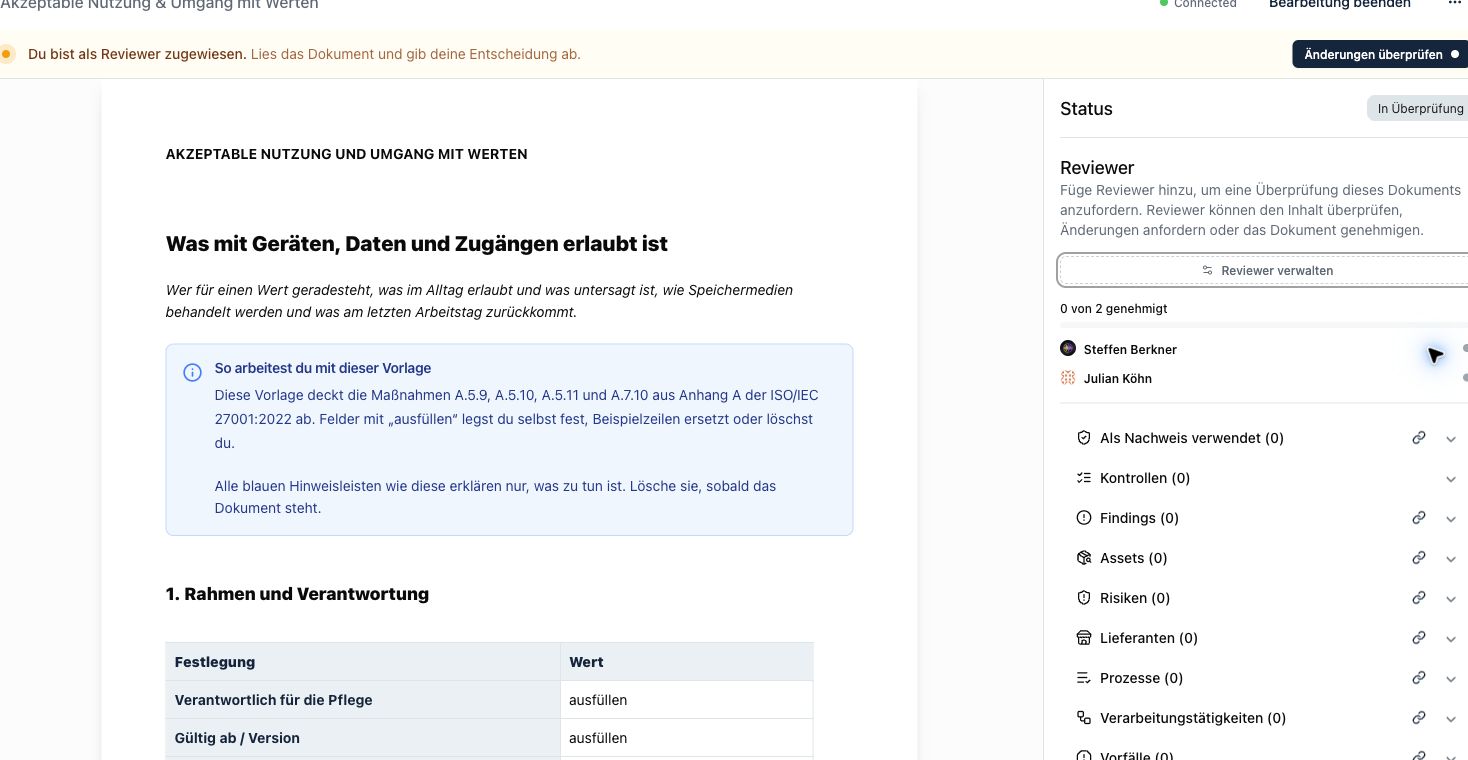
Product view in German: reviewers and progress remain visible in the version review.
For example, your work-equipment policy changes its rule on personal devices. The owner edits the draft. Named reviewers assess the change within their responsibilities and approve it or request revision. Feedback therefore concerns the exact version examined.
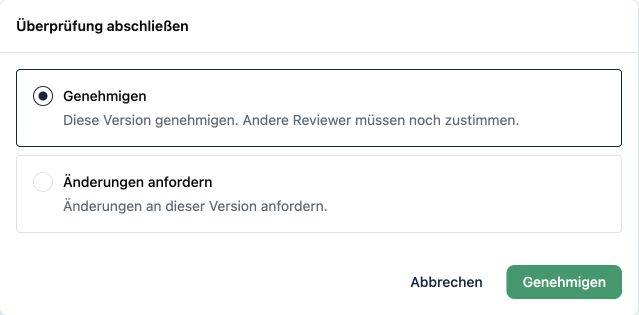
Product view in German: an explicit decision on the reviewed version.
During migration, define which roles will review in future and how the first transferred version is approved. Today’s approval documents today’s transition; the original Confluence history remains distinguishable.
4. Manage new versions and the next content review separately
Approving a changed version answers: “May this version be used?” Periodic content review asks: “Does the existing content still fit our organisation and working practices?”
Kopexa represents these as separate workflows. Name reviewers for a new version. For content review, configure reviewers, interval and dates on the document. The last and next review stay visible; Kopexa reminds you when the next review is due.
Not every review must create a new version. Concluding that no change is needed is different from producing and approving a revised version. Where work arises, linked tasks can coordinate it.
Include this distinction in the transfer plan: decide which documents need substantive review first and which confirmed versions provide the starting point. Technical transfer does not make that business decision for you.
5. From an approved document to the Workforce Hub
Approval within the expert team does not answer how the policy reaches affected employees. In the Workforce Hub, employees can read and acknowledge policies and complete knowledge checks. The maintained version becomes content they can engage with.
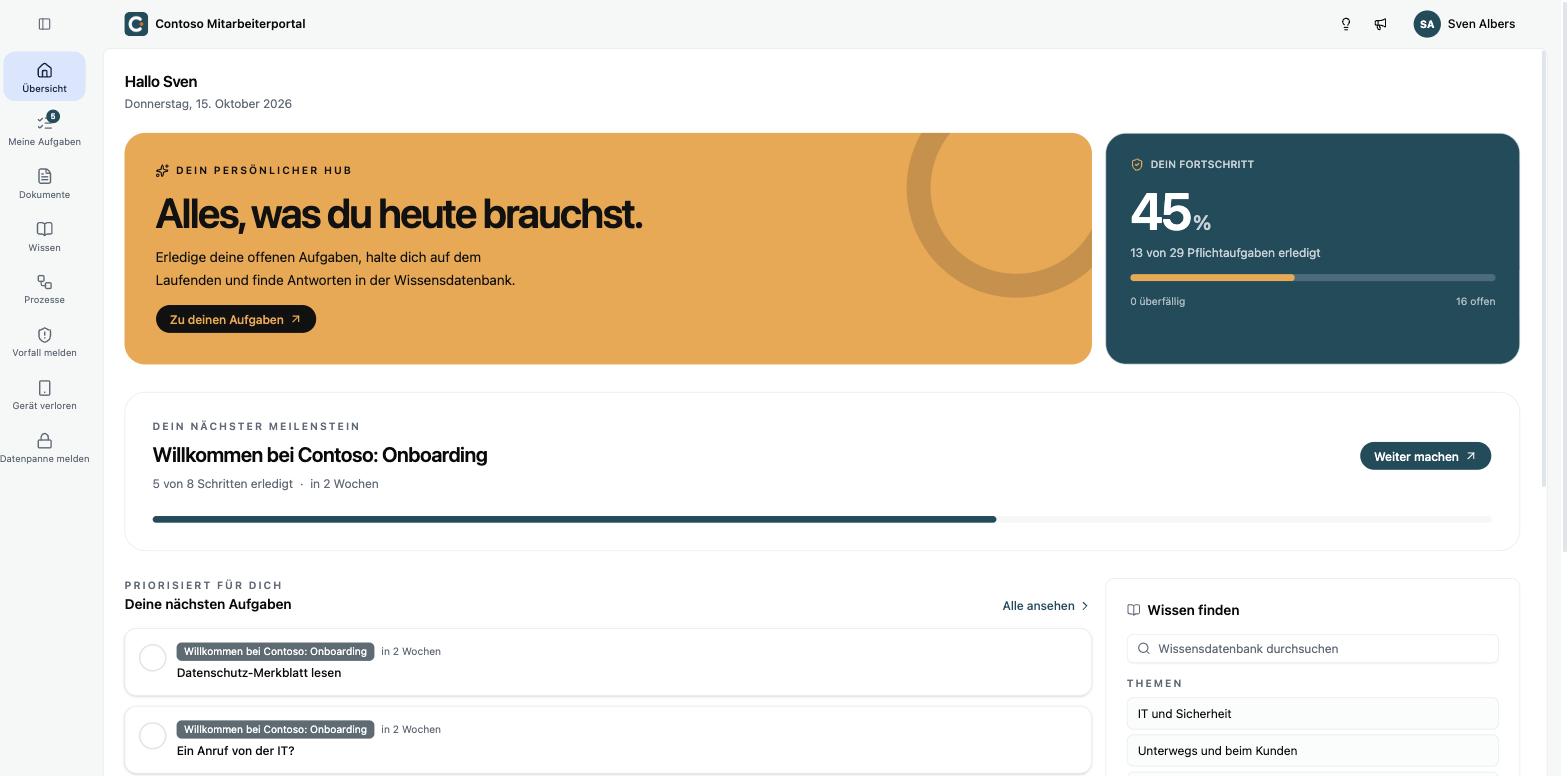
Example Workforce Hub view in German: employees see their assigned tasks and content.
During the transition, define who needs which policies and how material changes are communicated. Test the workflow with an intended employee role: is the correct content accessible? Is the task understandable? Is it clear what must be acknowledged?
A read acknowledgement records the confirmation given. Add suitable knowledge questions if you want to examine understanding. The Workforce product page shows how this work can be organised.
A workflow rather than just a file transfer
Test the migration using one policy:
- Select the confirmed Confluence version and document its source.
- Transfer content and correct problematic elements.
- Define owners and reviewers and have the transferred version reviewed.
- Keep the valid version and next content review traceable.
- Test the content for intended employees in the Workforce Hub.
Kopexa supports migration. CSV import paths and a GraphQL API are also available for structured data. Establish which route suits page contents, metadata and supplementary sources against your actual records.
Bring an anonymised sample policy for planning. Use it to show current approval, a typical change and the intended audience. This lets you discuss the entire workflow rather than just file transfer. See Kopexa policy management for the product workflows.
Quick answers
Frequently Asked Questions
Still have a question? Find the answers here.
Must we rewrite policies when moving from Confluence?
No. Existing content can provide the starting point. Begin with a representative page and test transfer into Kopexa’s editor. Check tables, images, attachments, macros and internal links before transferring further pages.
Does copy and paste also transfer Confluence history?
Copy and paste transfers page content. Earlier versions, comments and approval events do not automatically become equivalent events in the target. Preserve required originals and clear associations with the migrated document.
How does reviewing a new version work in Kopexa?
Name reviewers for the version under examination. They assess its contents and can approve it or request changes. Progress shows outstanding approvals, and decisions remain visible in the version review.
How do version approval and content review differ?
Version approval concerns a new or changed version. Content review assesses whether existing content still fits. Kopexa records reviewers, interval and last and next review on the document; the two workflows are handled separately.
Must we replace Confluence completely?
No. You can move ISMS policies and relevant working instructions to Kopexa while keeping Confluence for other team knowledge. Define one authoritative maintenance location for transferred content and test references between systems.
How do approved policies reach employees?
Through the Workforce Hub, employees can read and acknowledge their intended policies and complete knowledge checks. Define audiences and communication, then test the workflow using an appropriate employee role.
Does Confluence offer approvals itself?
Yes. Atlassian describes approval features for Confluence Cloud, with availability depending on plan and setup. Your required overall process—policy maintenance, version review, content review and employee communication—determines the value of migrating.
Sources
- Atlassian Support: Export a space's content as Word, PDF, or data files — Atlassian [Accessed ]
- Atlassian Support: Request and manage approvals in Confluence — Atlassian [Accessed ]