News
SonicWall flaw: When another sign-in path bypasses MFA
CVE-2026-19868 affects SonicOS SSLVPN with SAML. Check the prerequisites, fixed firmware versions and MFA enforcement across sign-in methods.
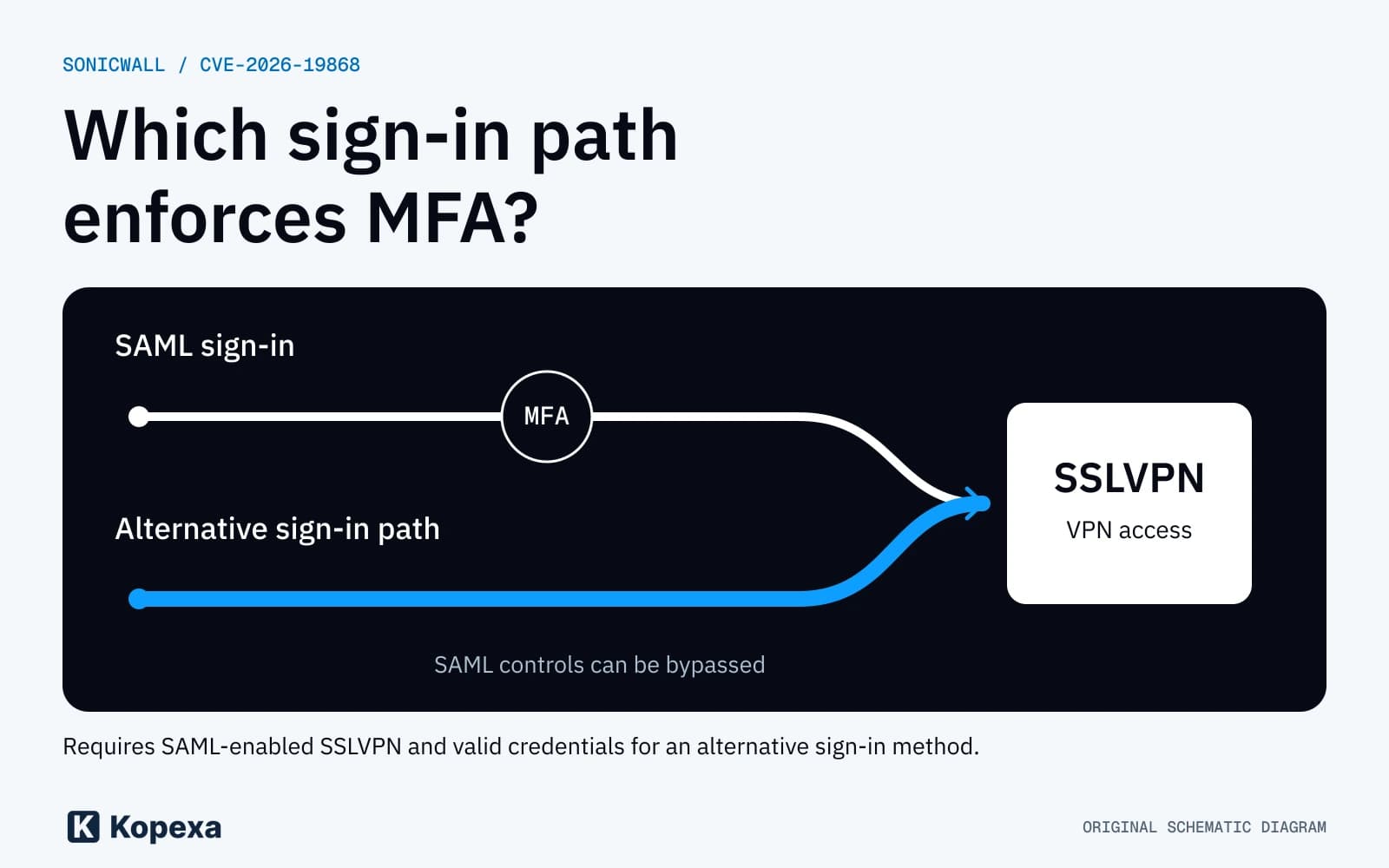

One VPN sign-in method requires MFA. Another reaches the same service with fewer checks. CVE-2026-19868 shows why IT teams need to review every permitted sign-in path.
CISA has listed the SonicWall flaw in its Known Exploited Vulnerabilities Catalog since 6 November. Affected operators need to check their systems. They should be able to identify each device's configuration and confirm whether its update has been installed.
Which configuration is affected
According to the SonicWall advisory, the flaw affects SonicOS SSLVPN with SAML enabled for VPN sign-ins. SAML connects a central identity provider to the sign-in process.
Attackers need valid credentials for an alternative authentication method. They can bypass SAML controls and may also bypass MFA enforced through SAML. CISA describes these conditions in its KEV entry. This does not mean a sign-in without credentials.
Your review therefore needs to establish which authentication methods the firewall actually permits. An MFA requirement at the central identity provider does not answer that question on its own.
Which firmware fixes the issue
The vendor's full table lists hardware firewalls and virtual NSv systems in both generations:
| Product branch | Affected versions | Fixed from |
|---|---|---|
| SonicOS Gen7 | Up to and including 7.3.3-7015 | 7.3.4-7013 |
| SonicOS Gen8 | Up to and including 8.2.2-8015 | 8.2.3-8015 |
For Gen8, 8.2.2-8015 is therefore still affected. Check the full version number on the device and its product branch. SonicWall lists no workaround in the advisory reviewed here.
For operations teams, we recommend including virtual appliances and separate customer environments in the inventory. Firmware may differ across managed devices. A single note such as "SonicWall updated" is insufficient evidence for all of them.
Check MFA enforcement on permitted sign-in paths
We recommend a controlled functional test after the vendor update. Use approved test accounts and coordinate the test with the people responsible for operations.
- Record the model, generation, firmware and SSLVPN configuration. Identify the operator responsible for the system.
- List the permitted authentication methods and identity sources. Record which accounts and access roles they apply to.
- Describe the expected behaviour for each sign-in path. Include the factors required before a successful VPN sign-in and what should happen when a check is rejected.
- Test this behaviour after the update. Record the sign-in path tested and the result. Keep real passwords and tokens out of screenshots and tickets.
- Review agreed exceptions. Emergency access needs a defined purpose, appropriate permissions and reviewed rules for its use.
These steps are our recommendation for operational acceptance testing. Follow the vendor's instructions for the specific update. We do not recommend disabling SAML or MFA as a substitute.
Investigate suspicious sign-ins separately
If monitoring shows suspicious access, also check the affected accounts and sessions. Involve the responsible security teams and preserve relevant evidence under your incident process. A completed update task does not establish who had access before it.
Further action depends on the findings. The Incident Report helps teams record the timeline, affected systems, impacts and decisions together.
Record ownership and verification for each system
IT leaders and MSPs need to establish which system is affected, who will update it and who will verify access afterwards. Link the firmware check to the update task and the functional test. Keep outstanding systems visible individually.
In Kopexa, you can connect affected assets with risks, measures and verification evidence. Use your operational tools to update the firmware. Keep the work status and ownership linked to the affected system.
Sources checked on 7 November 2026. The graphic is an original schematic of the sign-in paths, not a SonicWall product interface.