Guide
Cloud outage: Check your dependencies and fallback arrangements
Use one business process to test access, data recovery and fallback arrangements during a cloud outage. Includes a practical customer-contact example.
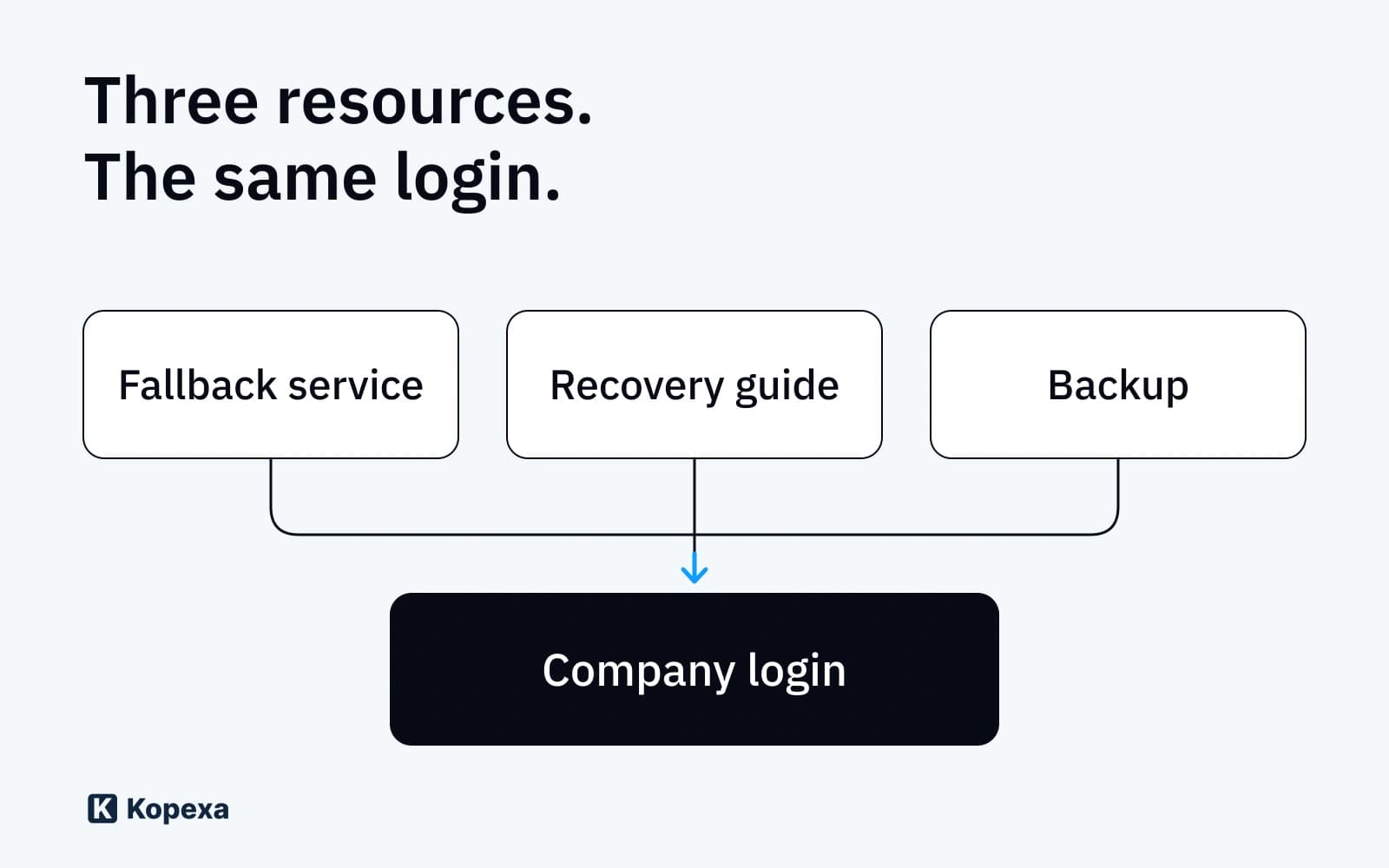

The alternative service is booked. Backups are running. The instructions are in the wiki. During an outage, the team discovers that all three require the same company login.
You can check these shared dependencies in advance. Choose an important business process and work through the fallback arrangements. Can the people responsible sign in, open the data they need and handle the customer request? Which security checks do they need along the way?
The Microsoft 365 outage on 12 and 13 November provides a reason to run this check. Operational independence includes being able to complete necessary work under these restrictions. What matters is your ability to work under the conditions you have assumed. A second product name on the supplier list leaves that question open.
Start with the work that needs to continue
A fictional company wants to receive urgent customer enquiries and arrange callbacks during a cloud outage. Full quotation processing can wait temporarily. To maintain its minimum level of operations, the team needs a working phone number, contact details and somewhere to record enquiries.
The process owner defines which enquiries are urgent, how long the interruption can be tolerated and when management decisions become necessary. A business impact analysis helps assess disruption impacts and the resources required. You can assess those impacts and dependencies with Kopexa. Use the assessment to define the minimum level of operations you need. BSI Standard 200-4 describes continuing business processes with alternative resources or process steps.
Keep the first test focused on this process. Set up a way to verify the work you need during the interruption. That can be a much smaller task than reproducing the entire office IT environment.
Trace the fallback arrangements to their prerequisites
For customer contact, record what the person handling the request actually needs.
| What is needed | What to check in the example |
|---|---|
| Access to the instructions | Can the team open them without the affected wiki and its login? |
| Access to the alternative service | Do the account, authentication methods and any required approvals work in the assumed outage? |
| Contact details | Is an approved, usable version of the required data available, and can the team open it? |
| Receiving enquiries | Can customers reach the published phone number or an alternative contact agreed in advance? |
| Record keeping | Can staff protect the enquiries they record and transfer them into the main system afterwards? |
Repeat the check for each additional tool. Access to another cloud provider can require the same identity service or password manager. A file on a laptop is useful only if it is available, usable and approved for the intended access.
Microsoft describes separate emergency accounts for certain administrative lockout situations. Their authentication methods and secure storage need to fit the scenario you are planning for. These accounts address an access problem. You still need to check whether the application itself is available. Microsoft guidance on emergency accounts
Check the keys and recovery destination as well as the backup
Ask to see which required data the backup contains. Then follow the complete path to information the team can use. Who can open the backup? Where will the decryption keys come from? Which destination will accept the data? Which application will make it usable for the business team?
For the fictional team, an approved contact list with a limited scope might be sufficient. It needs an owner who keeps it current and protected storage. Resuming order processing would require additional data and functions.
The specific backup service imposes limits. Microsoft 365 Backup, for example, documents that Exchange mailbox items can be restored to the current mailbox. Restoring them to a different mailbox is unavailable in that service. Having this backup capability therefore does not establish that you can move into an independent working environment. Microsoft guidance on restoration
Agree which data state and recovery capability your service needs. Test the required subset in a suitable destination. For larger datasets, include data volume, transfer and available capacity in the plan.
Define what the team may do during the interruption
Fallback arrangements may support fewer activities than normal operations. The team needs clear boundaries. In the example, it records callback requests and acknowledges receipt. Confidential quotation documents wait until the approved transfer method is usable.
If a required automated check fails, the business team and the person responsible for security need to decide whether a temporary alternative control is sufficient. One option for a narrowly defined activity could be documented approval by a second person. That person must be able to check the recipient, the content and whether the disclosure is allowed. If this review cannot provide the required protection, the activity remains on hold.
Record the decision, its scope and the reason for reviewing it in the existing case. The IT recovery plan template provides sections for emergency operation and service procedures. Explain to the affected team which procedure to follow and whom to ask if they are unsure.
Test the task and plan the return to normal operations
Define the assumed restrictions before the test. In the example, the regular wiki and company login remain unused for the test procedure. One person submits the customer enquiry using approved test data. The team retrieves its instructions, signs in to the alternative service and handles the request.
Check the agreed result. Was the enquiry received? Were the necessary details recorded securely? Can the designated substitute take over? Can the records be transferred back after recovery without lost or duplicate entries?
Record the measured time, result and outstanding corrections in the existing test record. Compare the result with the minimum level of operations the business team needs. When a key dependency changes, such as the login for the alternative service, test that assumption again. Microsoft also includes drills and regular recovery testing in continuity planning. Microsoft guidance on continuity planning
Assess data residency and legal access in your review of sovereign cloud offerings. A longer-term provider switch needs its own plan, including data migration, access rights and contracts. Our guide to testing data exports explains that check for an ISMS system. For a temporary fallback, first establish whether the agreed minimum level of operations works.
In Kopexa, you can bring together business processes, disruption impacts and dependencies. Link the identified gap to its risk and required measure. You can assign follow-up work to an owner through a Work Item. Keep the test result with the measure and use review intervals to reassess changes to the prerequisites.
Sources
- BSI Standard 200-4: Business Continuity Management — Federal Office for Information Security [Accessed ]
- Microsoft: Manage emergency access accounts in Microsoft Entra ID — Microsoft [Accessed ]
- Microsoft: Restore data in Microsoft 365 Backup — Microsoft [Accessed ]
- Microsoft: Business continuity, high availability and disaster recovery — Microsoft [Accessed ]