Changing ISMS software: how do you preserve evidence history?
The file has moved. But can you still see when it applied and who approved it? Check historical evidence when changing ISMS systems.
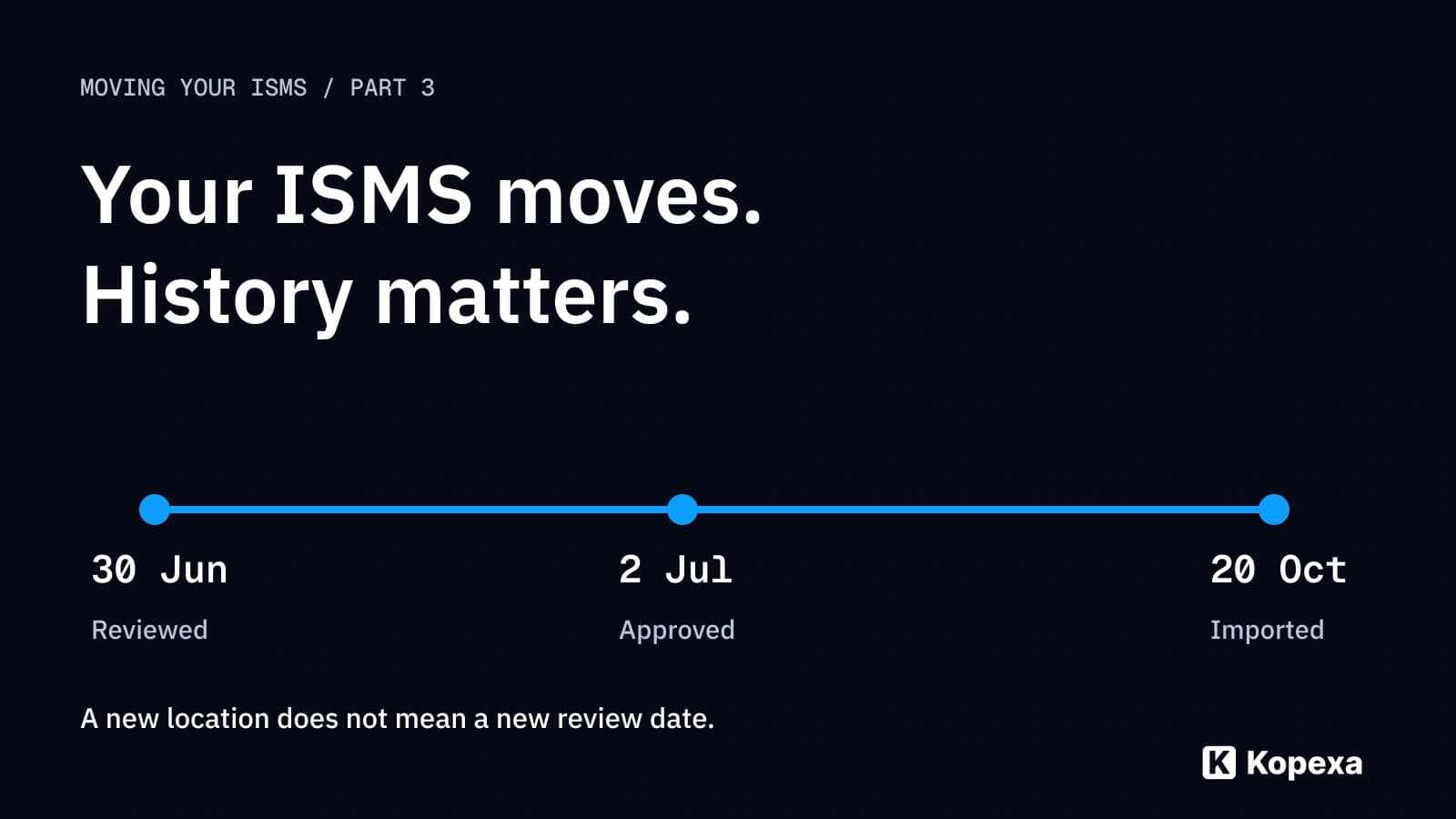

You can change ISMS software while keeping historical evidence traceable. That requires more than the current file: preserve its reporting period, the version used, associated approvals and connection to the original source. Then test an old case to see whether someone can actually reconstruct that history.
A typical obstacle: a test record was created in June and approved in July. After migration, the new system shows only an October upload date. The content exists, but its place in time is missing. That is not yet a reliable basis for answering a question about the second quarter.
This third part of “Moving your ISMS” focuses on that chronological evidence chain. Part 1 on ISMS data migration covers the general plan; part 2 on moving from SharePoint covers document libraries and permissions.
Key takeaways
- Distinguish old and new events: import is a new event. It replaces neither the earlier examination nor its approval.
- Preserve history deliberately: decide which versions, decisions and logs will be needed for later questions.
- Keep originals accessible: information not represented in the target needs a clearly associated, accessible reference.
- Follow an old case: a meaningful test begins with a question about the past state, not a count of uploaded files.
Which history do you need after the move?
First separate three things often grouped together as “history”:
| Component | Question it answers | What is insufficient on its own |
|---|---|---|
| Document version | Which version applied at a particular time? | Today’s latest file |
| Decision or approval | Who confirmed which state, and when? | A status unrelated to version and person |
| Event log or audit trail | Which recorded actions took place in the system? | A new import entry without earlier events |
This information can live in different places: the file, version management, an approval workflow or a separate log. A document export need not include all those sources.
Define the required scope through concrete questions. Which site was examined? Which measure was implemented then? Who could approve completion? Which later change explains why today’s state differs? Those answers determine the history and additional sources you need.
Migration does not automatically make old evidence current. Its original period and scope remain decisive. A new examination may generate new evidence; it should not silently overwrite the earlier record.
From the old review period to the original: a worked example
A fictional dataset contains evidence E-042 for a review of administrative access in the second quarter. The record was created on 30 June and approved by the responsible role on 2 July. On 20 October, it transfers to the new ISMS software.
After migration, an auditor asks: “Which access did you review for the second quarter, and on what basis was the result confirmed?” They must be able to navigate from the case to the record version and its approval. A screenshot of current access does not answer that historical question.
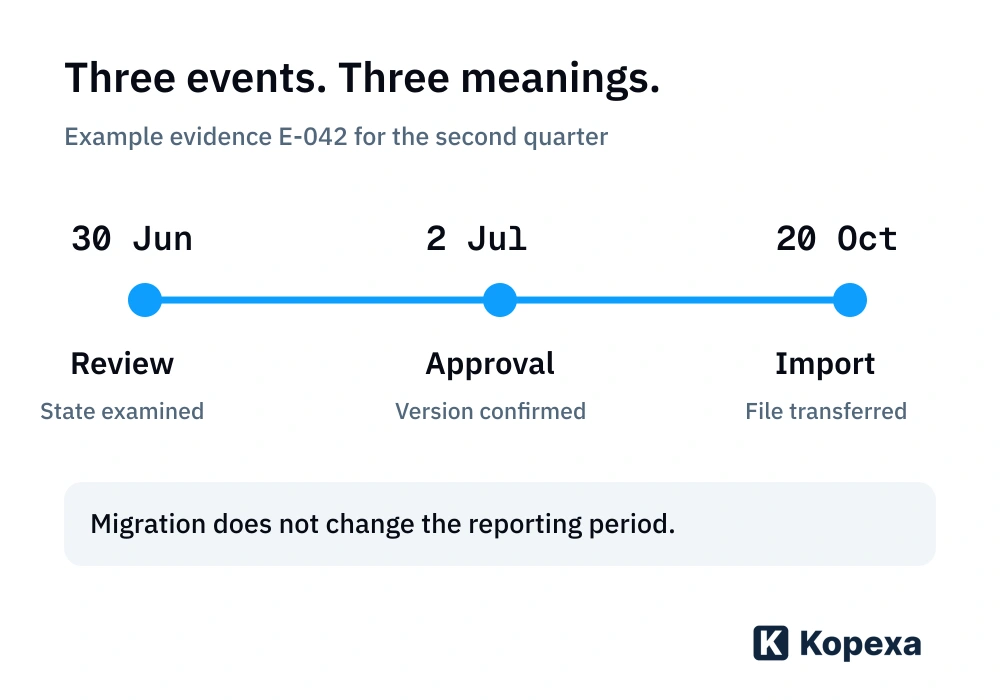
Test the path with an intended role:
- Find E-042 through the appropriate measure and reporting period.
- Open the transferred version and compare content, version and scope with the preserved source.
- Find the approval associated with that exact version. Clarify who an old user identifier referred to.
- Distinguish information from the legacy system from the event generated by import itself.
- Open any required supplementary original reference with the intended access rights.
The result may involve several connected sources. What matters is an unambiguous relationship that authorised people can trace.
The evidence-chain check for your migration
Add the historical perspective to the data inventory from part 1. For each selected case, you should be able to complete this table:
| Check | What to record | How to verify the transfer |
|---|---|---|
| Version | Unique document or record version | The intended version is distinguishable from others |
| Time reference | Reporting period, creation date and relevant event times | Upload date is not presented as the original examination date |
| Responsibility | Responsible role and meaning of old identifiers | Earlier decisions have traceable attribution |
| Requirement context | Measure or requirement with its historical scope | Evidence is not applied to another site without review |
| Original source | Source system, reference and preserved export | The origin can be found and connected to the transferred version |
| Limitation | Missing events, fields or representations | Gaps are explicitly documented and substantively assessed |
This table is a working aid, not a general retention rule. How long you need records depends on their purpose and applicable requirements. Decide before legacy system access or a contract ends.
What an export demonstrates, and what else to check
Record who created the export, when, from which system, using which selection and covering which period. Keep original export files separate from edited working copies. This distinguishes source information from later mapping or reformatting.
Microsoft Purview provides a technical example: its documentation describes additional event information in a JSON field within a CSV export. Search scope and export limits can also affect completeness. This concerns that specific Purview export and illustrates why a readable table is not yet a verified complete event history. See Microsoft’s audit record export guidance.
For your export, check actual contents rather than the extension. Does it contain comments, approval events and versions, or only current field values? Are attachments included, or only paths? Can relevant events actually be read and attributed?
For important files transferred unchanged, comparing checksums can provide additional help. The NIST publication on digital evidence preservation addresses provenance documentation, integrity and protected handling of hash values in a forensic context. For ISMS migration, this supports a technical distinction: a checksum helps compare files; it replaces neither content review nor approval attribution. The report is not an ISMS certification criterion.
When the complete history cannot be imported
Choose a suitable path for each data type. A technical limitation need not prevent the entire move, but it must not disappear behind a new “completed” status.
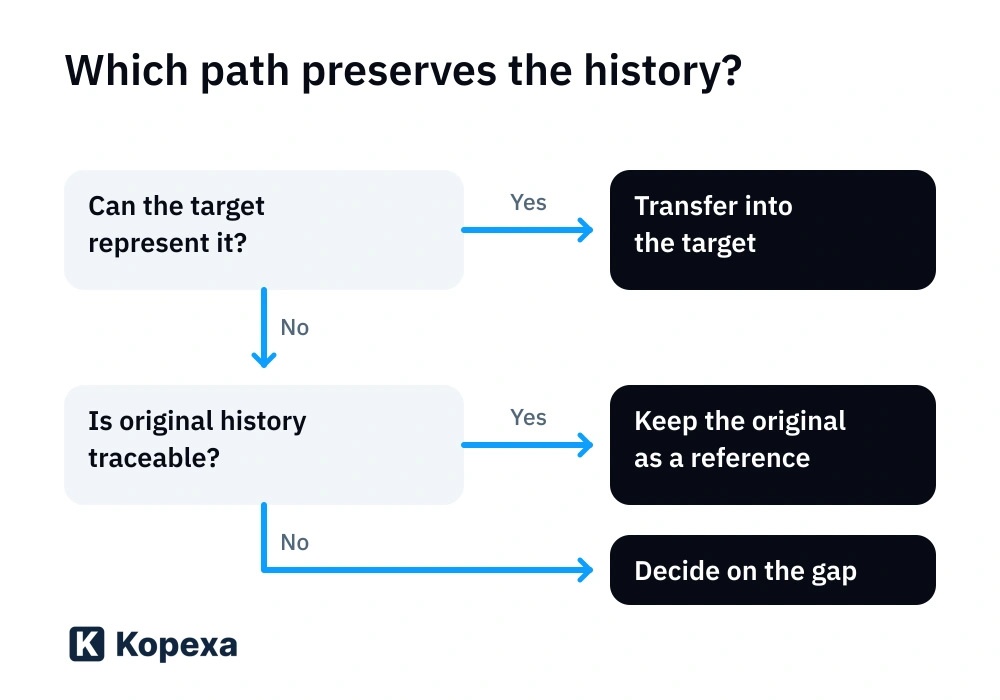
Represent it in the target: if the agreed path supports the information needed, check meaning, presentation and connection to the case. An old status must not appear as a newly granted approval.
Retain the original as a reference: if earlier events cannot be represented equivalently, a preserved export or suitable reference collection can remain the historical source. Clarify format, access, ownership and connection to the new entry. An archive nobody can open or associate does not solve the task.
Decide on a gap: if required information is already missing from the source, document exactly that. A present-day confirmation can record today’s decision; it cannot create an approval that was never documented at the time. Identify impact, responsible role and agreed treatment of the deviation.
Can you still switch shortly before an audit?
Yes. Riege and CSN Solutions moved to Kopexa shortly before their audits; Riege’s move took less than eight weeks. That experience establishes feasibility in principle. Your particular deadline requires an agreed scope and checks of the evidence chains needed.
Review likely relevant cases together before cutover. Clarify where historical originals are held, who can access them and which deviations remain unresolved. Use the migration plan in part 1 for the technical and business handover; here, add the test of a past decision.
How Kopexa supports the move
Kopexa supports migration. CSV import paths and a GraphQL API are available for structured data. Bring an anonymised example case for planning: a measure, its historical evidence and associated approval information.
Together, establish which information the target will represent and how supplementary originals remain accessible. Which history fields and events can transfer through which path is checked against your actual data. Having a CSV import does not imply identical transfer of another product’s audit trail.
Your next step
Choose a completed examination from an earlier period. Ask someone who was not involved in the export to find the version, approval and original using your transfer inventory. Anything missing belongs on the list of unresolved decisions before the full migration.
Quick answers
Frequently Asked Questions
Still have a question? Find the answers here.
Will I lose old evidence when changing ISMS software?
A change need not cause loss. Define required files, versions, approvals and relationships beforehand. Test the agreed transfer path with an old case, and preserve required originals with clear references where the target cannot represent them equivalently.
Is a CSV export already a complete audit trail?
That depends on its actual contents. A CSV of current field values does not automatically include earlier changes, comments or approvals. Check scope, selected period, export limits and associations with files and cases.
Does a matching checksum prove that evidence is substantively correct?
No. A suitable cryptographic checksum helps compare file contents against a securely preserved, trusted reference value. It does not by itself confirm the claimed period, accuracy of contents or authority of an approval.
Must every old document version be imported into the new ISMS?
Not every version must reside technically in the target. Decide which are needed for requirements and later questions and how they remain accessible. An associated original archive can be part of the solution; test its usability and permissions.
May I add a missing historical approval retrospectively?
Record a present-day decision with its actual date and mark the historical gap. Do not present it as an event documented at the time. If an original approval source exists, preserve its association with the version and distinguish it from later transfer.
Can new evidence replace old evidence during migration?
New evidence can demonstrate the current state but does not automatically answer a question about an earlier period. Keep periods and scopes distinct and clarify which historical originals are still needed.
Can Kopexa help transfer historical data?
Yes. Kopexa supports migration and offers CSV import paths and a GraphQL API for structured data. Your existing records determine what can transfer and how supplementary originals are linked. Complete identical transfer of external audit trails does not follow automatically.
Sources
- NIST IR 8387: Digital Evidence Preservation – Considerations for Evidence Handlers — NIST () [Accessed ]
- Microsoft Learn: Export, configure, and view audit log records — Microsoft [Accessed ]