From Excel to an ISMS: planning your data migration
Bring risk registers, measures and evidence across in an organised way, with field mapping, a test dataset and clear acceptance criteria.
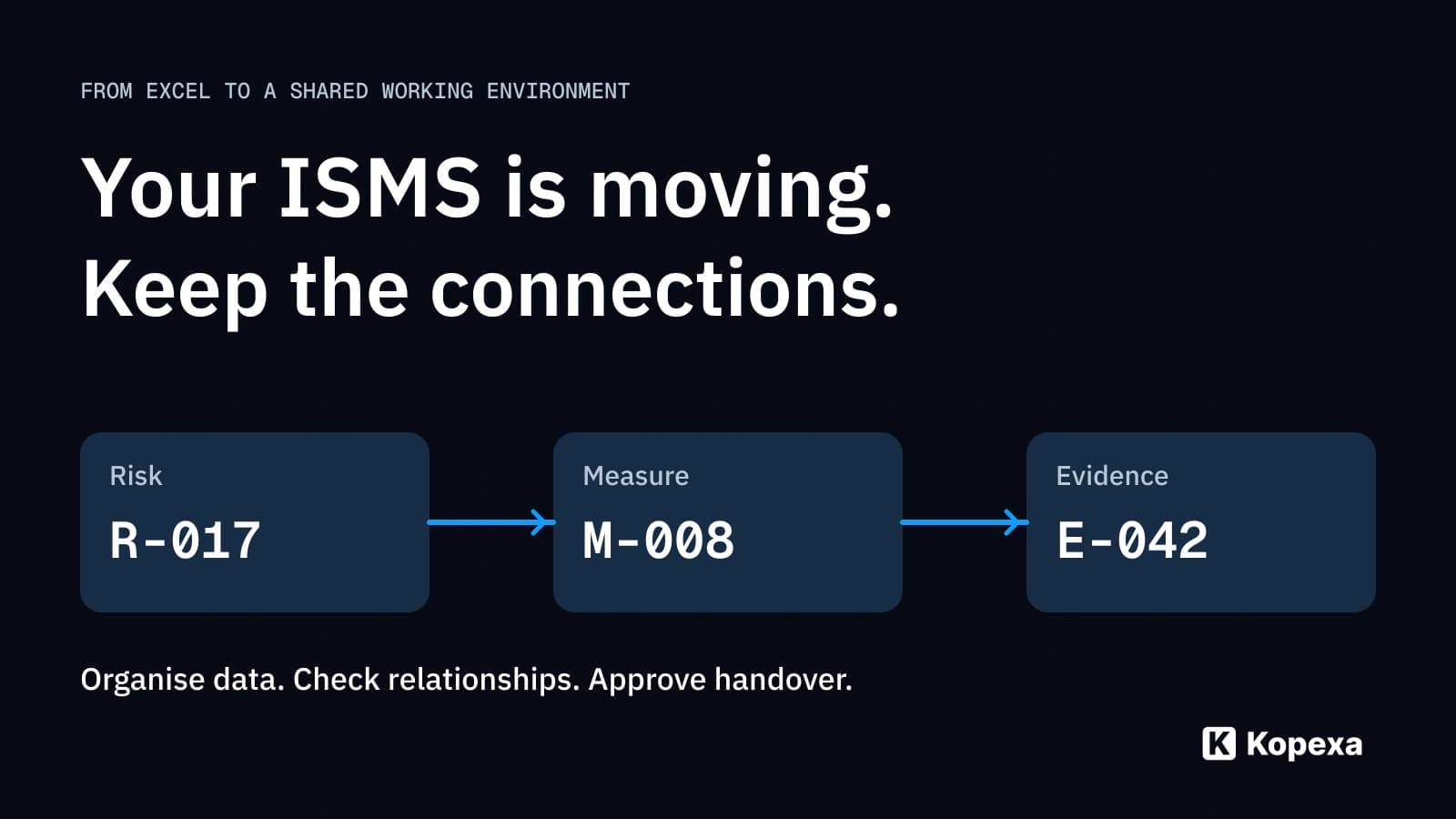

Do not start your ISMS migration with a file upload. First establish which data will continue, who owns it and how risks, measures and evidence connect. Then migrate a manageable test dataset and check whether your team can actually work with it.
One simple question reveals the difference: after the move, can you still find the right measure for a risk and its current evidence? A completely imported spreadsheet does not answer that.
This guide helps you move from scattered Excel files to a shared ISMS working environment. If you have not selected the target system, start with the ISMS software selection requirements checklist. Here, we focus on preparing and accepting the data transfer, regardless of the import tool.
Key takeaways
- One authoritative dataset: determine which source remains authoritative until cutover and where work continues afterwards.
- Clear field mapping: record what each field means and how its contents will be preserved in the target.
- Verified relationships: test the path from risk through measure to evidence, not just the imported row count.
- Business acceptance: have the responsible roles confirm content, access and continued work before switching.
What must survive the move?
A risk register contains more than rows and columns. An entry represents an assessment, a responsible person, a treatment decision and possibly several measures. Supporting evidence may sit in a document repository. Its filename says little about the period and site it covers.
Before migrating, define what must remain traceable:
- Meaning: what does a field, rating or status represent?
- Relationship: which risk connects to which measure and evidence?
- Responsibility: who maintains the content and decides unresolved questions?
- Scope: which organisational units, systems and periods does the entry cover?
- Provenance: where did the information come from, and where can the original be found?
Not every old file needs to enter the new system. An obsolete draft can stay in the legacy collection while the approved version transfers. Document that choice. “Not migrated” must not mean “accidentally lost”.
1. Establish the authoritative dataset
Collect the sources actually used: risk registers, treatment plans, control catalogues, policies and evidence repositories. Ask owners which version they use in daily work. The latest modification date is an indication, not proof of substantive approval.
A simple inventory is enough to start. For each source, record its location, responsible role, scope, version used and decision: migrate, clean up first or retain as a legacy reference.
Also decide which source remains authoritative until cutover. Otherwise, one person corrects the new system while another keeps changing the same issue in Excel. Reconciling those versions later becomes difficult.
For conflicting assessments, the responsible business role decides which state transfers. An import script should not resolve the conflict through an accidental file order.
2. Map fields and clarify meaning
Field mapping defines which source information belongs in which target object and field. Check meaning, not just column names. “Owner” could mean whoever last edited a row, or the role accountable for the risk.
Microsoft’s Dynamics 365 migration guidance also describes migration as requiring its own planning, mapping and validation. The working aid below applies that general principle to ISMS data. It is a planning model, not a Kopexa import specification.
| Source file / field | Meaning | Target object / field | Preparation / conversion | Responsible role | Acceptance criterion |
|---|---|---|---|---|---|
| Risks / risk ID | Stable reference to a risk | Risk / source reference | Preserve original ID; map the new target ID | ISMS owner | Every transferred entry is traceable to its source |
| Risks / status | Processing or decision state | Risk / appropriate status | Map values substantively; exclude unclear cases | Risk owners | “Accepted” is not translated as “completed” |
| Measures / risk ID | Assignment to a risk | Measure–risk relationship | Connect through confirmed ID mapping | Measure owners | The measure appears at the correct risk |
| Measures / assigned to | Role responsible for implementation | Measure / responsibility | Map names to confirmed active roles | Business team | Former employees are not transferred without review |
| Evidence / storage path | Location of a record | Evidence / file or reference | Check location and access | Evidence owners | The intended role can open the correct evidence |
Good mapping also exposes gaps. If the target cannot represent a field, document how its information will survive. Free text can retain an additional note; it does not replace a relationship the team needs to query later.
Rating scales need particular attention. A “3” in the old spreadsheet does not automatically mean the same in the target. Document the existing definition and planned mapping. If the assessment method changes, treat that as a separate substantive decision. New colours or numbers do not by themselves improve risk assessment.
3. Test relationships with a sample dataset
Do not choose only the cleanest rows for the first transfer. Include different cases: a risk with several measures, a measure supporting several requirements, older evidence and an entry with unclear ownership. This tests where your actual data becomes demanding.
Worked example: three entries form an evidence chain
A fictional dataset contains risk R-017 “Unauthorised remote access”, measure M-008 “Check multifactor authentication” and evidence E-042, documenting the associated test for a particular site and period.
All three entries exist after import. But the measures table used “R17” instead of “R-017”, so the automatic link is missing. The row count is correct; the evidence chain is broken.
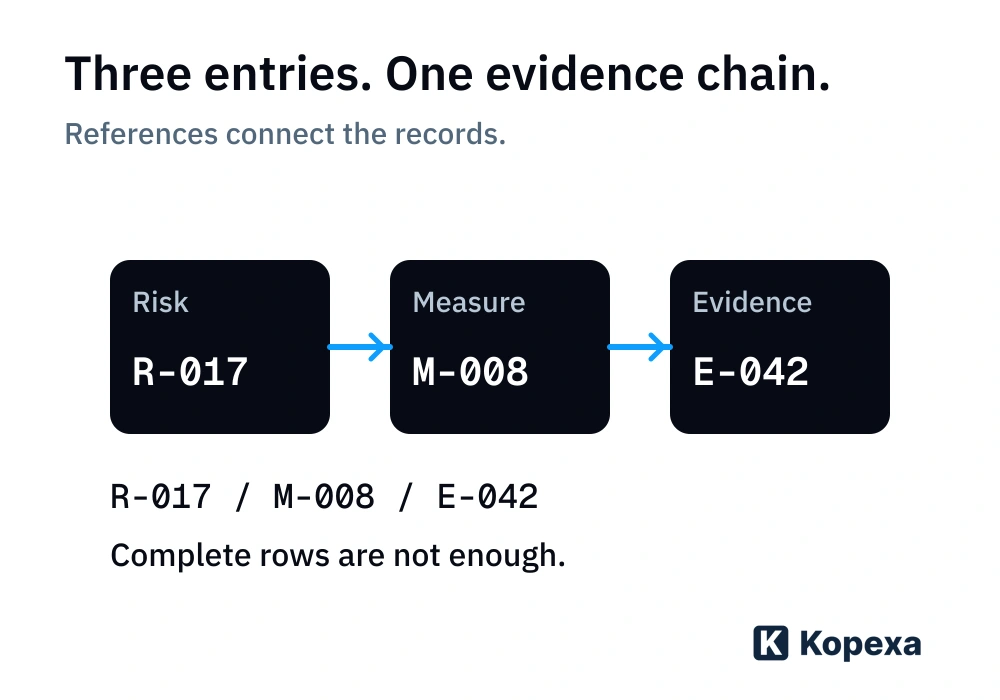
Acceptance must therefore examine more than the record count:
- Open R-017 in the target and find M-008 through the intended relationship.
- Open E-042 from there. Check the site, reporting period and evidence contents.
- Use an intended user role to check that access works and is appropriately restricted.
- Compare the status with the source. Attaching evidence must not by itself turn an outstanding review into “completed”.
Also test a failure: what happens when a reference is missing or the same source file is processed again? Check whether entries are skipped, overwritten or duplicated. A successful first import does not answer that.
4. Accept the transfer substantively
Write down criteria before the complete migration. A populated interface should not become the deciding test at the end.
| Check | What you compare | When to correct it |
|---|---|---|
| Scope | Transferred, excluded and failed entries against the confirmed inventory | Entries are missing without a documented reason |
| Content | Meaning, status, ratings and relevant free text against the source | Information is shortened or substantively changed |
| Relationships | Risk, measure, requirement and evidence in selected cases | Entries exist but are missing links or incorrectly connected |
| Access | Reading and editing with intended roles | Evidence is inaccessible or too widely visible |
| Continued work | Owners find a case and process the next step | Imported data cannot be meaningfully used in daily work |
Not every unresolved deviation must block the entire migration. Record its impact, responsible role, decision and next step. A missing central evidence chain matters differently from a minor formatting issue.
Technical transfer and business acceptance serve different purposes. Whoever loads files can check transmission. The designated business owners confirm whether assessment, responsibility and evidence make sense operationally.
5. Cut over without creating two sources of truth
Set a concrete handover time. From then on, it must be clear where new changes are made. If sources remain in use during preparation, reconcile changes since the test dataset. Changing the date on an export does not transfer those changes.
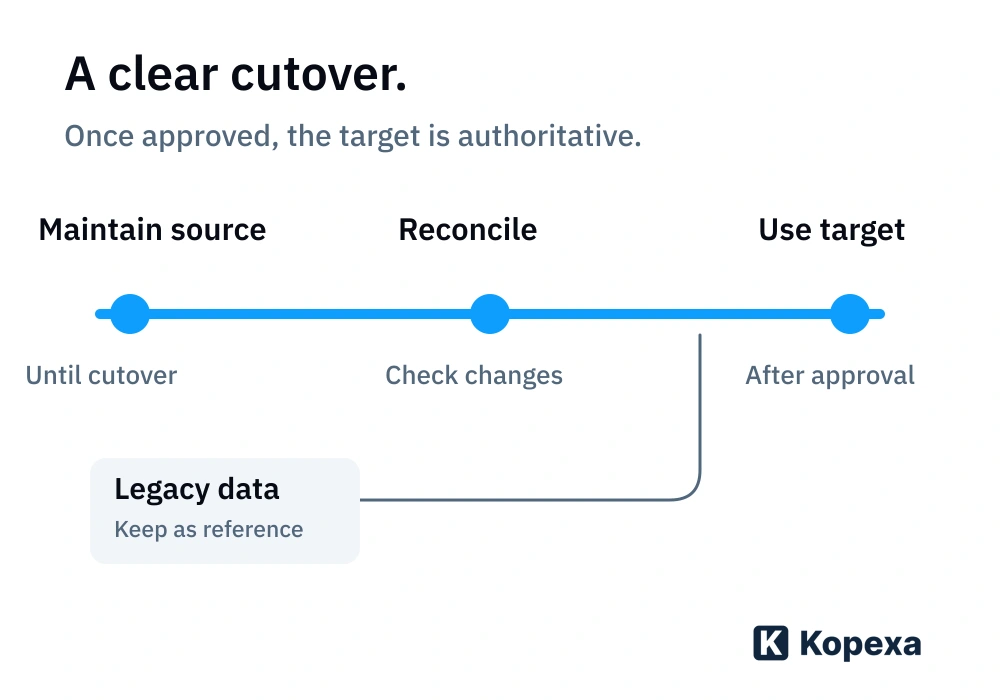
Before approval, answer together:
- Who confirms business acceptance and informs the people affected?
- Where are outstanding deviations tracked?
- Which interim changes have been included?
- How do you prevent accidental continued maintenance of the old data?
- Under which conditions do you stop cutover, and who decides what happens next?
Preserve the confirmed source state and its mapping to the transferred data. If work must return to the source, changes already made in the target must also be considered. Having a backup alone does not resolve that reconciliation.
Common ISMS migration mistakes
Transfer everything, including unresolved data. That moves old contradictions into the new working environment. Mark unresolved content and decide how to handle it before it appears authoritative.
Check only files and row counts. All records can exist while relationships, scope or roles are missing. Test real workflows from risk to evidence.
Treat the new interface as a new assessment method. A different status or scale can change meaning. Migration must not silently reassess risks or replace decisions.
Keep working in parallel without assigning reconciliation. That creates scattered truths again. Name the authoritative state and organise the handover.
Establish which data Kopexa can take over by examining your existing records
Kopexa is a GRC platform connecting requirements, measures, risks, tasks and evidence. The value of migrating lies in continuing to work with those relationships: who implements a measure, which evidence belongs to it and which requirement does it address?
Discuss the required objects, fields and relationships with the target provider early. Which data can transfer through which import path must be checked against your actual records. This does not automatically promise complete transfer of version histories, approvals or existing permissions.
Our ISMS product page explains the platform. An anonymised overview of your data types and relationships is enough for an initial discussion. You do not need to publicly upload real risk registers, credentials or confidential evidence.
Your first step
Choose one risk register, one treatment plan and a small selection of related evidence. Establish the authoritative state and complete the mapping table for that chain. If your team can then trace and continue working with the same relationships in the target, you have a reliable basis for the next transfer.
Quick answers
Frequently Asked Questions
Still have a question? Find the answers here.
How large should an ISMS migration test dataset be?
Choose it based on the different data types and failure cases, not a blanket row count. Include typical relationships, several responsibilities and at least one unclear or erroneous entry.
Must I delete all old Excel files after migration?
No. Migration alone is not a reason to delete legacy data immediately. Define which originals are needed as references, who may access them and which retention or deletion rules apply. Also prevent accidental continued work in those files.
Can I switch ISMS systems shortly before an audit?
Yes. Riege and CSN Solutions moved to Kopexa shortly before their audits. Riege completed the move in less than eight weeks. Plan clear responsibilities and business acceptance so required evidence remains findable. Your migration time depends on the data and agreed scope.
How should I handle conflicting risk assessments?
Do not automatically transfer the last saved value. Record conflicting assessments and their provenance, and have the responsible risk owner decide which state applies. Document the decision and rating scale before the target entry becomes authoritative.
What happens to missing references between risks, measures and evidence?
Record affected entries as deviations and resolve their relationships from the sources. Do not invent a connection just to complete the import. Unresolved relationships must remain visible in the acceptance record; their impact helps determine whether the dataset can be approved.
Can version histories and earlier approvals be preserved?
That depends on source format, target system and the agreed transfer path. Test whether earlier versions, dates and approvals are actually preserved and traceable. Otherwise retain required originals with a clear reference to the migrated data. A modification date does not replace version history.
Who is responsible for data migration?
Name a coordinator and owners for each data type. Technical staff check transmission and error logs; business owners confirm meaning, relationships and responsibilities. Also define who approves cutover and decides on outstanding deviations.
Sources
- Microsoft Learn: Manage configuration and migration data for Dynamics 365 projects — Microsoft [Accessed ]