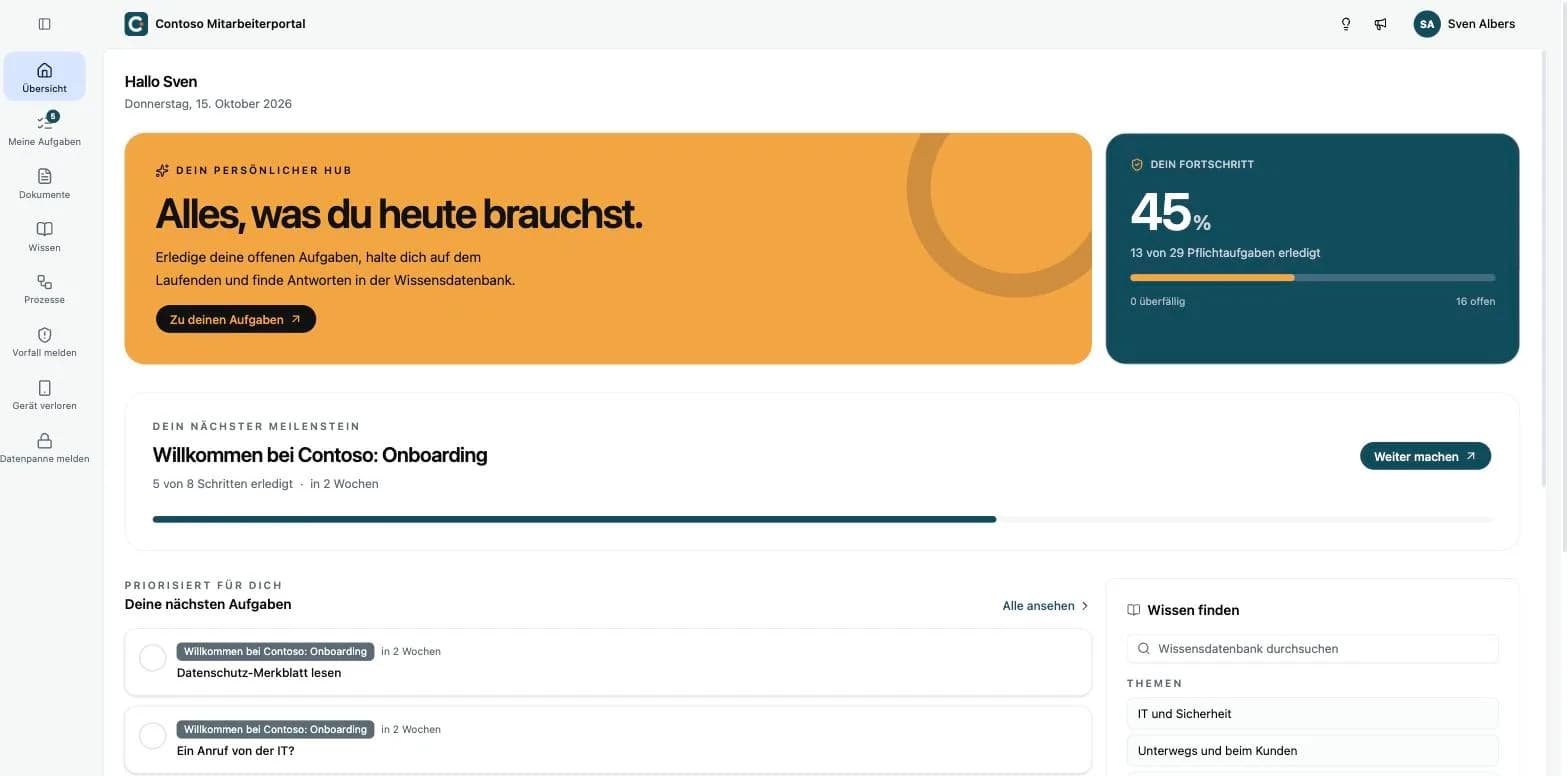
The Workforce Hub is live. It brings your ISMS to every employee: in a portal of their own with your logo, they read and confirm policies, answer check questions, look things up and report incidents. Every confirmation and every report lands in your Kopexa space as evidence, not on a signature list.
TL;DR
- Your own portal for your employees, under your own address like
contoso.workforce.kopexa.com, with your logo and your colors. - Task sets for onboarding, annual training and one-off occasions: have policies confirmed and ask check questions. When a new version comes out, each person automatically gets a new task.
- Knowledge base and processes: answers to everyday questions and released processes with their BPMN flow diagram, limited to certain business units if you want.
- Forms for incidents, data breaches and whistleblower reports, anonymous if you want. A submission turns straight into an incident.
- Sign-in with password, passkey or single sign-on via Microsoft Entra ID, Google Workspace, SAML or OpenID Connect.
- Plus improvements to programs and controls, objectives, documents, sign-in and API tokens.
What it helps you demonstrate
- Communicating policies and recording acknowledgement (ISO 27001 A.5.1)
- Awareness and training (ISO 27001 A.6.3, NIS2 Art. 21(2)(g))
- Reporting information security events (ISO 27001 A.6.8)
- Making documented procedures available (ISO 27001 A.5.37)
- Internal reporting channel under the German Whistleblower Protection Act (HinSchG § 12)
- Reporting data breaches (GDPR Art. 33)
How to get it
The Workforce Hub is an add-on. We enable it for a space once you order it, and only people with portal access count for billing. Get in touch if you want to use it.
Learn more
- Overview: what the Workforce Hub does and what it looks like day to day is on the product page.
- Setup: ten steps from the portal address to the first invitation, in the documentation.
- For your employees: a separate portal guide you can pass on directly.
- Changing a policy: how to roll out a new version cleanly is covered in our article Introducing a new policy version.
More improvements
Programs and controls
- Controls set to "Not applicable" no longer count toward progress, neither in the program list nor in the program or the controls overview. 100 percent is now reachable.
- Progress bars and status counts update right away when you change a control's status.
- Control status has the same color everywhere: "Not implemented" is red, "Not applicable" is gray.
Objectives and KPIs
- KPIs without measurements no longer count as met or not met, and they stay out of an objective's progress.
- The date picker for an objective's target date now saves exactly the day you pick.
Documents
- When a document's review comes due, the "Review Pending" task is now created reliably.
- The PDF export only appears once a published version exists.
- Assigning a reviewer now works without an error message, even with quick clicks.
Processes and organization
- In the process overview, the "Ownership Rate" and "Without Controls" cards now filter the list as well.
- A business unit can no longer be moved below itself or one of its sub-units, and the hierarchy shows all sub-units.
- Linked information assets show their kind.
Sign-in and account
- When your session expires, you go straight to sign-in instead of a page saying you lack permission.
- If you are removed from a space or an organization, Kopexa redirects you properly.
- Changing your password is clearer: re-authentication comes before the form, its email arrives reliably, and you see clearly whether the change worked. You stay signed in.
- For SAML single sign-on, one metadata source is enough: URL or XML.
- The space switcher highlights the current organization again.
AI connection and API
- The AI connection now also works with Langdock.
- API tokens: risk assessments, file uploads, receipt confirmations for data subject requests and other write actions now work reliably. Changes are attributed to the token's creator.