Guide
AI policy for employees: Which uses do you actually allow?
Write clear rules for AI tools, data and approvals. Includes example cases, a reporting channel and a workflow for versioning and acknowledgement.
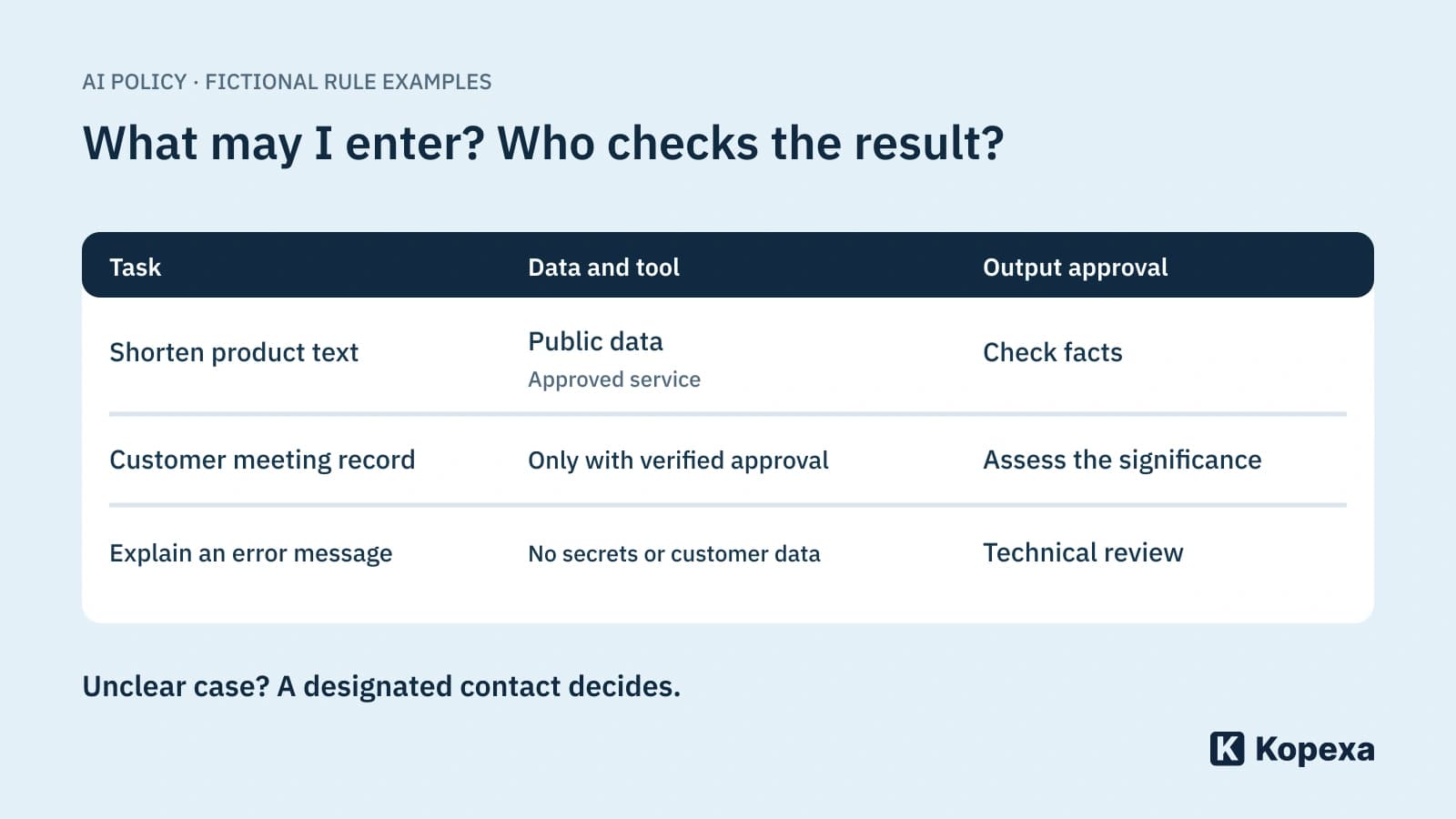

An employee wants to summarise a customer meeting record. The team already uses an AI assistant, but nobody knows whether customer names and contract details may be entered. “Use AI responsibly” does not help with this decision.
A useful AI policy answers three questions for these situations: Which tool may I use, which data may I enter and who checks the result? It then needs an accessible route for exceptions and incidents.
Write for the next everyday decision
Hamburg’s data protection authority recommends documented internal rules and specific examples of permitted and prohibited uses. Privacy owners should be involved in rules and new use cases. Its LLM chatbot checklist is guidance; it was published previously and is not new news.
Our suggestion: start with three common employee tasks, such as drafting text, summarising meetings and explaining code. For each, describe the permitted data and approved tool. This turns a general intention into a testable rule.
This guide complements AI governance in the organisation. It replaces neither assessment of individual applications nor your data protection evaluation.
Approve tool, account and data together
A brand name alone is insufficient. Record which business offering, account type and configuration were assessed. Approval for a managed business account should not inadvertently include personal accounts, browser extensions or newly connected data sources.
The table below is a fictional policy example. Do not adopt it without review:
| Task | Permitted route in this example | Limit |
|---|---|---|
| Shorten a public product description | Approved business assistant | Check facts before publication |
| Summarise an internal customer meeting record | Only after approval of this data scope and service | No input without approval |
| Explain an error message | Sanitised extract in the permitted tool | No tokens, passwords or customer data |
| Draft a response to a complaint | Draft using checked inputs | Send only after business approval |
Define “sanitised”. Deleting a name is insufficient if the project description and contract details still identify the person. Employees who cannot assess this confidently need a contact person and an allowed alternative.
Do not infer confidentiality from one setting
The BSI overview of secure AI use includes data transmission and possible disclosure of personal information among its review questions.
For approval, answer several questions separately: are inputs used for training? How long are they stored? Who can access them? Which further services or integrations receive them? Which contractual terms apply? “No training on our data” does not answer the other questions.
Nor is every input into an AI system automatically public. The particular service, its processing and your approved use determine that. Blanket assurances and blanket scare statements do not help employees.
Review output before it becomes an action
Define who owns the substantive result. A short fact-check may be enough for a draft public description. A decision concerning customers, employees or security measures needs a different review.
If use expands from writing to taking action, revisit the original approval. An assistant suggesting text has a different scope of action from a connection that sends emails or changes data. Additional questions about AI agents, access and responsibility then apply.
A useful rule could read: “You may use the assistant to prepare a draft. Check statements and recipients yourself; you send the message.” Whether this is sufficient for your case requires the appropriate business and legal review.
Mistakes need a simple reporting route
What happens if a confidential document ends up in the wrong service? Employees should be able to stop using it and inform the designated contact without spreading the content again. An initial report needs the tool, time, affected data scope and actions already taken. The responsible teams decide further steps.
Test this route in a short discussion. Does the team know the contact? Can they reach it without the affected tool? Does the helpdesk know who handles the substantive assessment? Our guide to reporting channels and incident exercises helps with preparation.
The valid version must reach people
A rule in a forgotten folder changes no workflow. Name an owner, review date and change triggers: new data types, new integrations or changed contractual conditions.
In Kopexa, you work on documents in the editor. Document versions undergo approval and remain immutable; the document points to the current version. The review interval is configurable. With the Workforce Hub, relevant employees receive notifications and reminders to read and complete a quiz. Acknowledgement evidence returns to Kopexa.
Acknowledgement does not replace a clear rule. Before approval, ask two people from the affected team to resolve a specific case. If they derive different answers from the text, improve the rule first. Then align the version approval and acknowledgement workflow with it.
Sources
- Hamburg data protection authority: Checklist for LLM-based chatbots [Accessed ]
- BSI: Designing AI securely [Accessed ]